Mermaid turns a few lines of text into a diagram. You write it in a fenced code block labeled mermaid, and apps that understand Mermaid draw the picture: GitHub, GitLab, Obsidian, Typora and SSmd all do. Anywhere else, readers see the code, which is still readable. That's the real reason to use it. The diagram lives in the same text file as the words around it, you can edit it anywhere, and a change to it shows up in a diff like any other line.
Every example below was drawn with Mermaid 12.2.0, the version bundled with SSmd, and the pictures are what it produced.
Your first flowchart
flowchart TD
    A[Draft] --> B{Ready to send?}
    B -->|Yes| C[Export PDF]
    B -->|No| D[Revise]
    D --> B
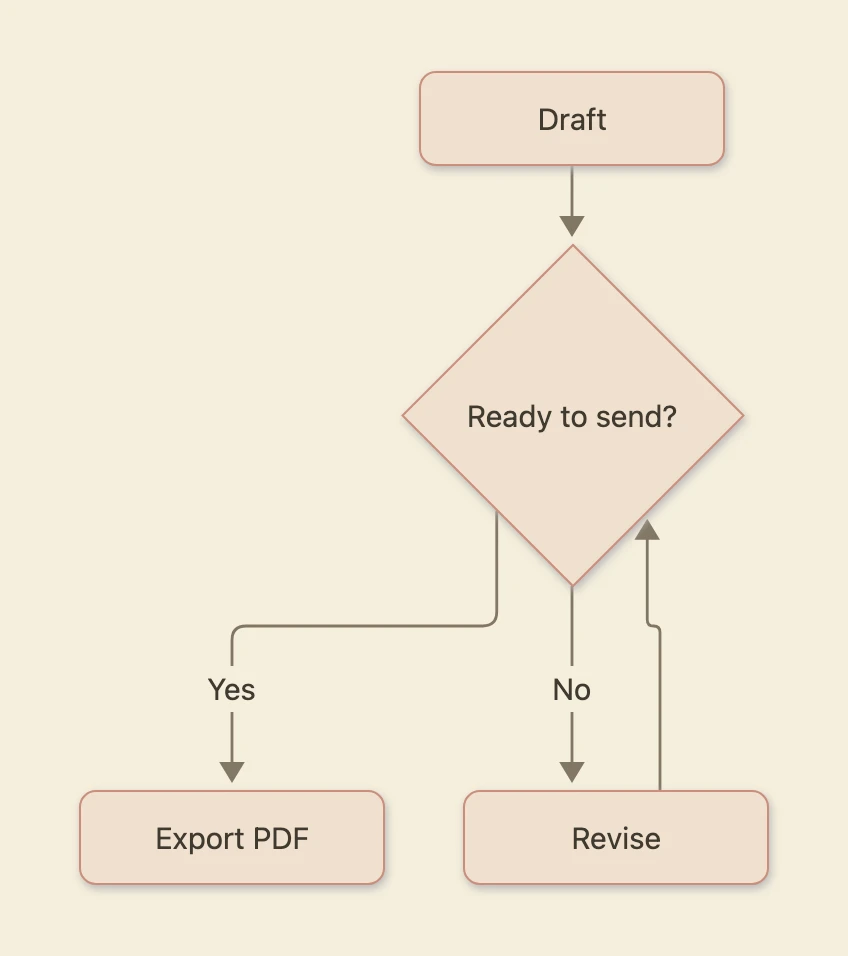
The first line names the diagram type and its direction. TD means top down; LR is left to right, and BT and RL go the other way. After that, each line connects two nodes. A[Draft] creates a node with the id A and the label "Draft". Once it exists, A on its own refers to the same node, which is how D --> B loops back.
You may also see graph TD in older examples. It's the earlier name for the same thing and still works.
Node shapes
The brackets around the label set the shape:
| You write | Shape |
|---|---|
A[Text] |
Rectangle |
A(Text) |
Rounded rectangle |
A([Text]) |
Pill |
A{Text} |
Diamond, for a decision |
A[(Text)] |
Cylinder, for a database |
A((Text)) |
Circle |
Links
| You write | Line |
|---|---|
A --> B |
Arrow |
A --- B |
Line, no arrow |
A -.-> B |
Dotted arrow |
A ==> B |
Thick arrow |
A -->|label| B |
Arrow with text |
A <--> B |
Arrows both ways |
Groups
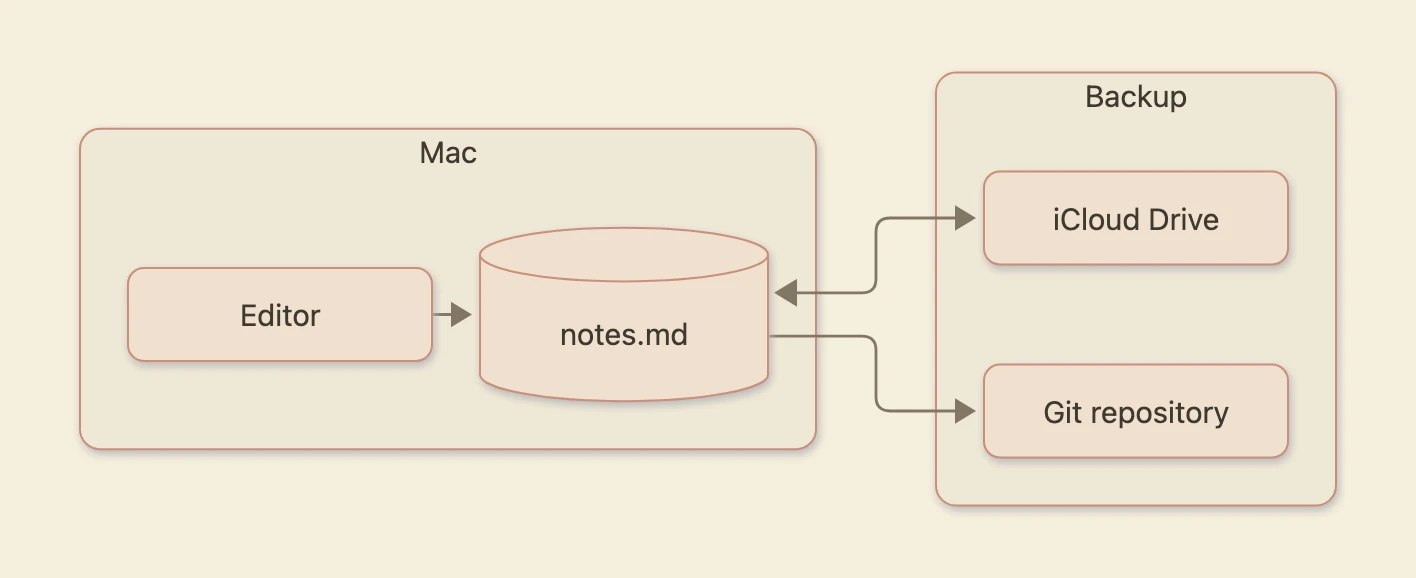
subgraph draws a box around related nodes. It needs a matching end:
flowchart LR
    subgraph Mac
        E[Editor] --> F[(notes.md)]
    end
    subgraph Backup
        S[iCloud Drive]
        G[Git repository]
    end
    F <--> S
    F --> G
Sequence diagrams
A sequence diagram shows who sends what to whom, in order, from top to bottom. Each participant gets a vertical line:
sequenceDiagram
    actor U as You
    participant A as App
    participant S as Server
    U->>A: Sign in
    A->>S: Check password
    alt Password is right
        S-->>A: Session token
        A-->>U: Show the inbox
    else Wrong password
        S-->>A: Error
        A-->>U: Ask again
    end
    Note over A,S: Over HTTPS
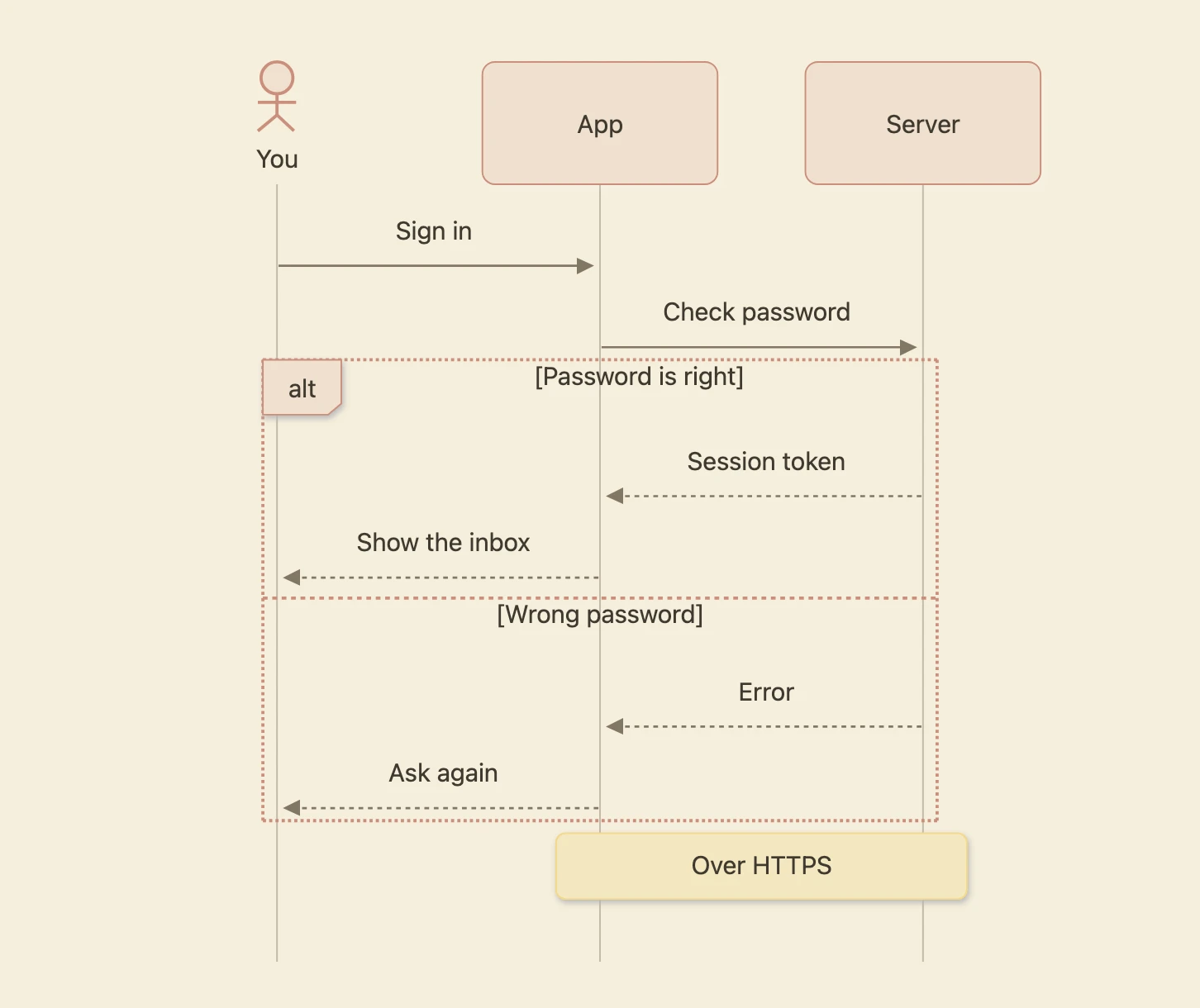
->> is a solid line with an arrowhead, for requests. -->> is dashed, for replies. participant S as Server gives a short id a longer label, and actor draws a stick figure instead of a box.
alt and else show alternatives. opt marks a step that may not happen, and loop marks one that repeats. Each of them closes with end. Note over A,S: puts a note across two participants; use Note right of A: for one side.
Other diagram types
Mermaid draws more than these two: Gantt charts (gantt), pie charts (pie), class diagrams (classDiagram), state diagrams (stateDiagram-v2), entity relationship diagrams (erDiagram), mind maps (mindmap), timelines (timeline) and others. A Gantt chart is a good one to know, because a plan in a text file is easy to keep up to date:
gantt
    title Writing the report
    dateFormat YYYY-MM-DD
    axisFormat %b %d
    section Draft
    Research    :a1, 2026-11-02, 4d
    First draft :a2, after a1, 5d
    section Review
    Comments    :b1, after a2, 3d
    Final edit  :b2, after b1, 2d
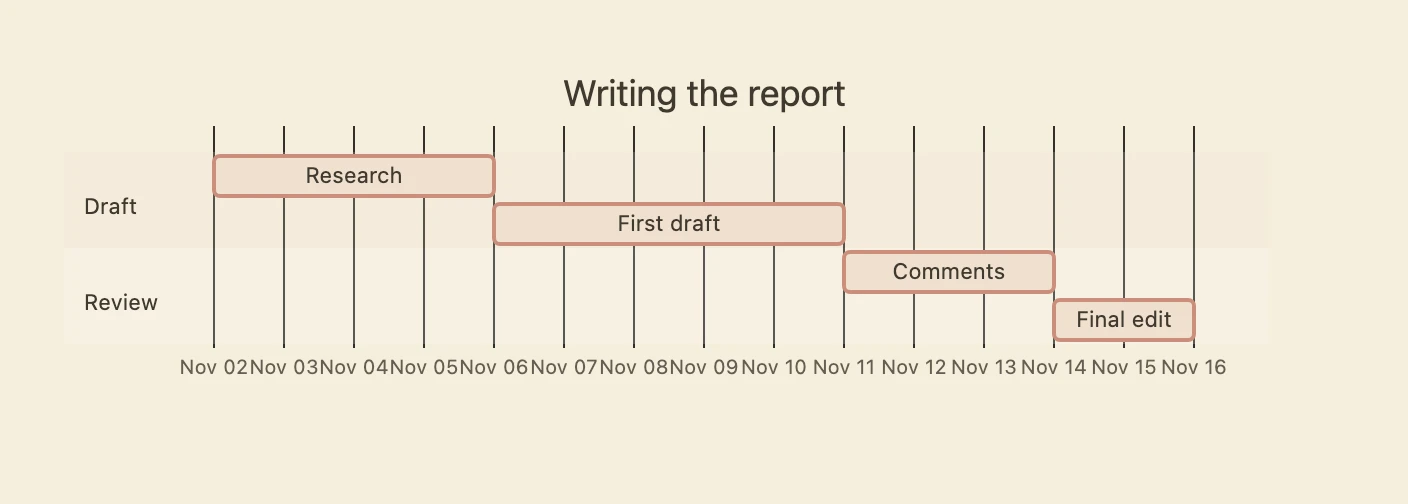
dateFormat says how you write dates, and axisFormat how the axis shows them. Each task line has a name, an optional id, a start and a length. The start can be a date, or after another task's id, so when Research takes a day longer you change one number and everything after it moves.
Each Mermaid release adds syntax, and apps update their copy of Mermaid at different times. If a diagram draws in the official Mermaid Live Editor but not in your app, the app is probably on an older version.
Why a diagram won't draw
The word end
In a flowchart, end closes a subgraph, so a node called end breaks the whole diagram:
flowchart LR
    start --> end
Capitalize it (End or END), or give the node a different id and a label: done[end].
Brackets inside a label
Brackets and parentheses in a label are read as shape syntax, so this fails:
flowchart LR
    A[Save (⌘S)] --> B[Done]
Put the label in double quotes and anything goes: A["Save (⌘S)"].
A node starting with o or x
A---oB doesn't link to a node called oB. It draws a line ending in a circle to a node called B, and ---x ends in a cross. Add a space, A--- oB, or capitalize the letter.
A missing first line
The first line has to say what kind of diagram it is: flowchart, sequenceDiagram, pie and so on. Without it nothing draws, however correct the rest is.
Typora's flow and sequence blocks
Typora also draws two older formats: flow blocks, written for flowchart.js, and sequence blocks, written for js-sequence-diagrams. SSmd draws both, so documents you bring over from Typora keep their diagrams:
st=>start: Start
op=>operation: Write the draft
cond=>condition: Happy with it?
e=>end: Publish
st->op->cond
cond(yes)->e
cond(no)->op
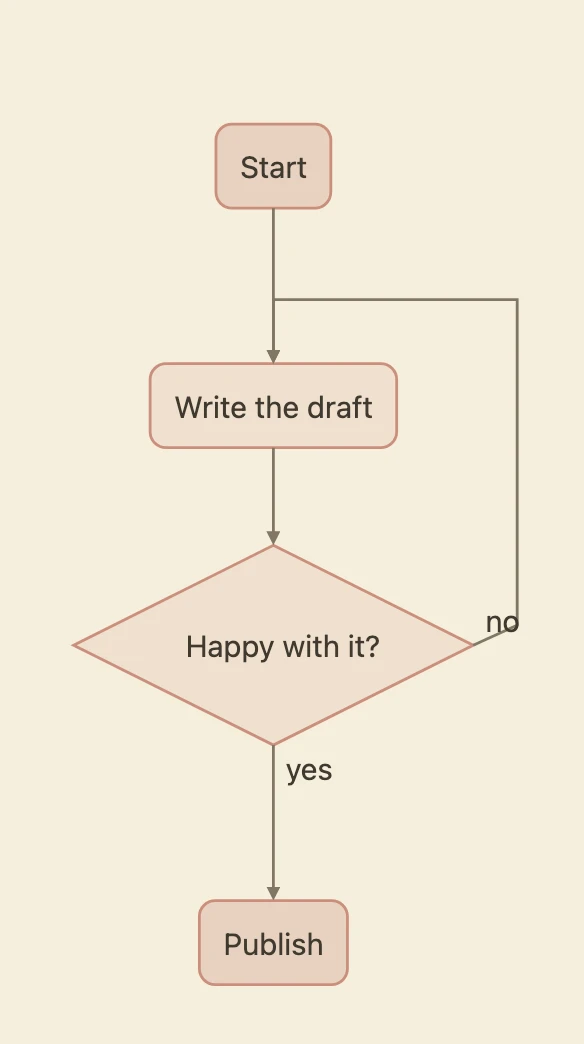
For new documents, use Mermaid. It is actively maintained and far more widely supported. js-sequence-diagrams hasn't been updated in years, which is why SSmd translates sequence blocks into Mermaid before drawing them.
Mermaid in SSmd
Type three backticks and mermaid, write the diagram, then move the cursor out of the block. The picture replaces the code. Click the picture to get the code back.
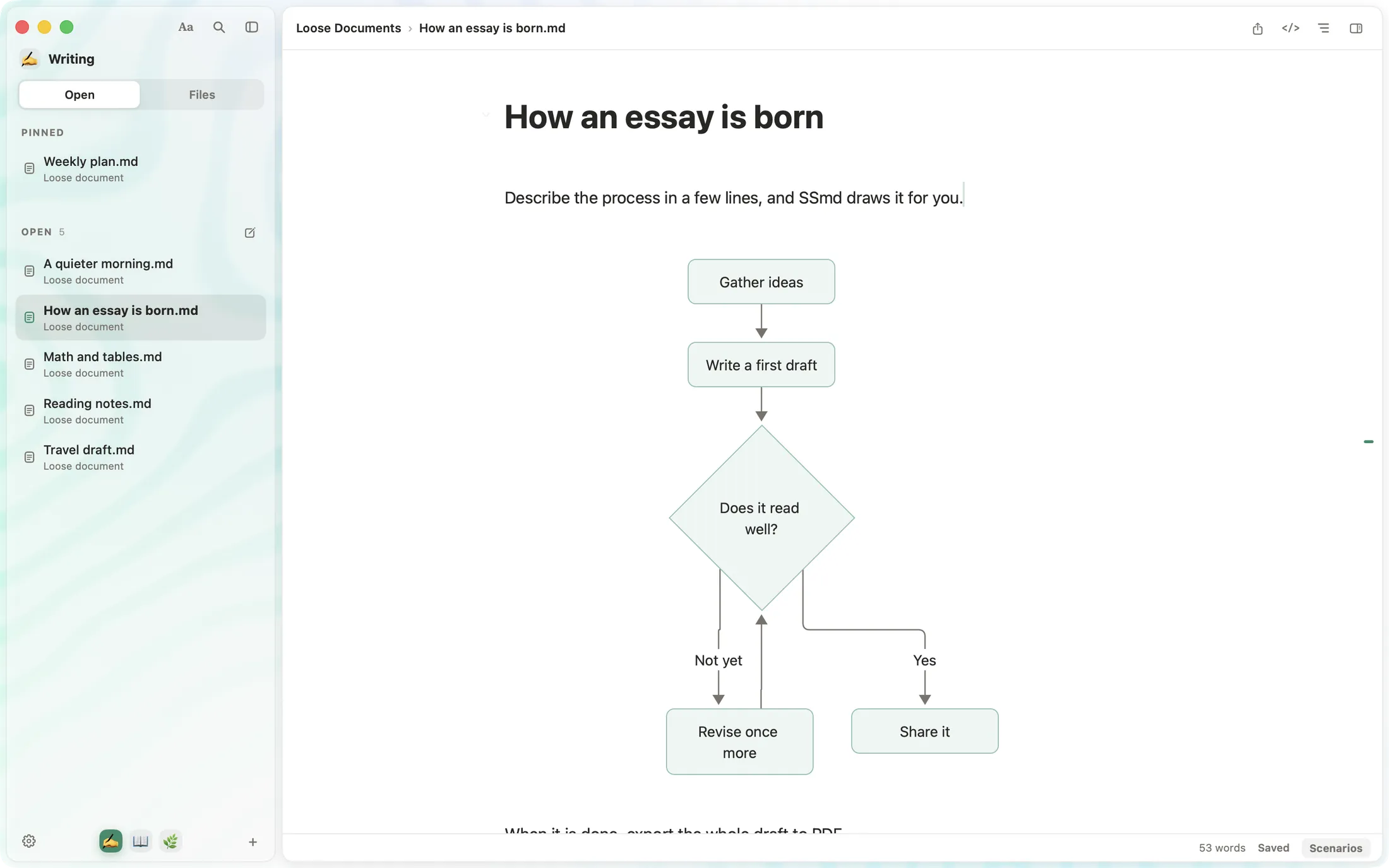
Diagrams take their colors from the paper you're reading on, so they sit naturally on white, sepia, graphite or black. PDF export keeps them as vector graphics, sharp at any size. They are drawn on your Mac with the copy of Mermaid inside the app, and nothing is sent anywhere. If a block has an error, SSmd shows the error in place of the picture, so you can click in and fix it.
If you're new to Markdown itself, how to write Markdown on a Mac covers the basics.