SSmd

SSmd 0.5 · 原生 Mac Markdown 编辑器SSmd 0.5 · A native Markdown editor for Mac看不见的
Markdown
Invisible
Markdown

符号只在光标这一行出现,其余都是排好的版。不用切预览,写下去就是文章。Markup appears only on the line you are typing. Everything else is already typeset, with no preview pane to switch to.

在 Mac App Store 免费下载Download free on the Mac App Store macOS 14+ · Apple 芯片与 IntelmacOS 14+ · Apple silicon & Intel

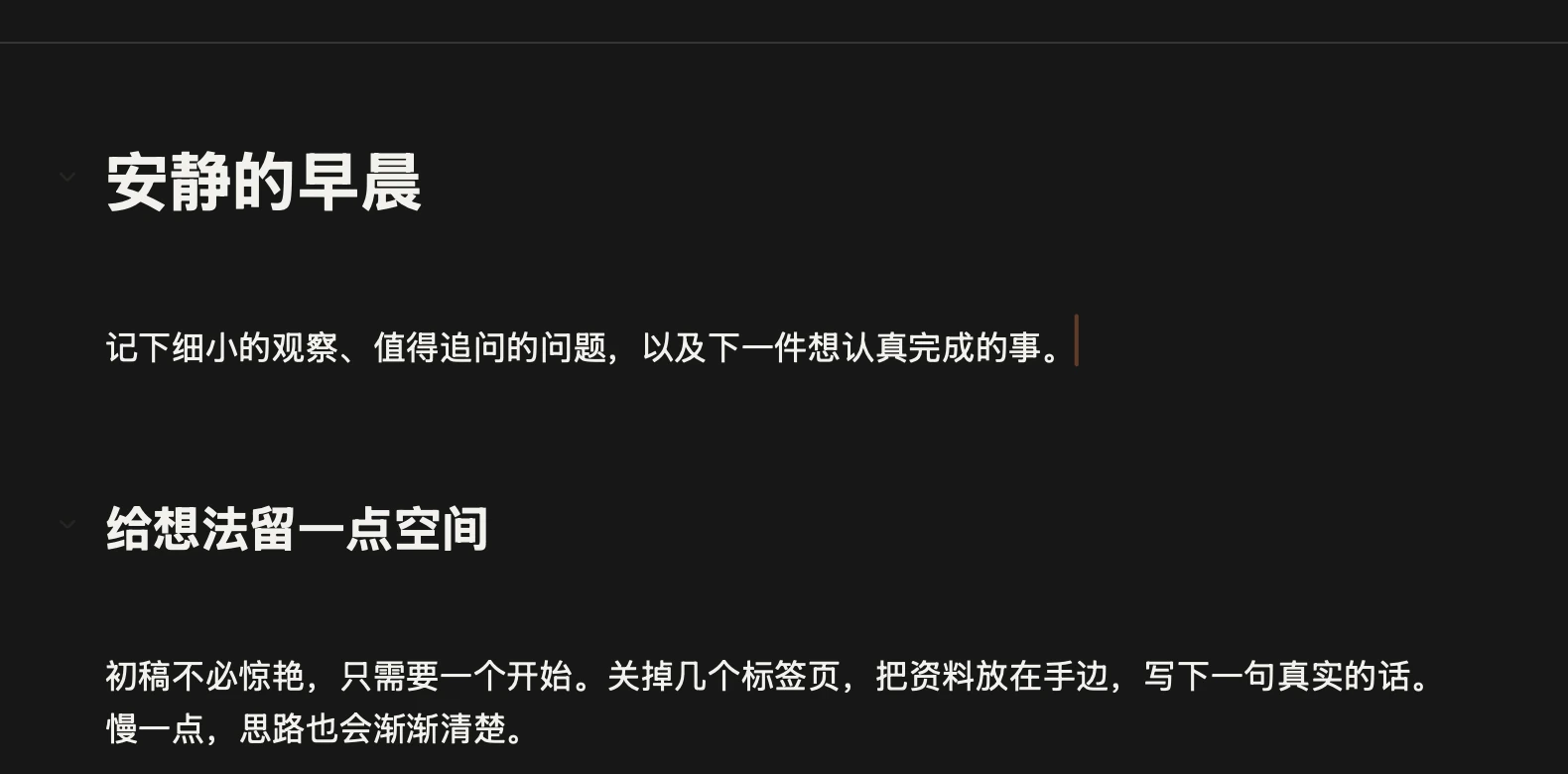
点一下这行,看看编辑时的样子:光标所在的一行才露出符号Click the line to see it as you edit: only the line with the cursor shows its markup.
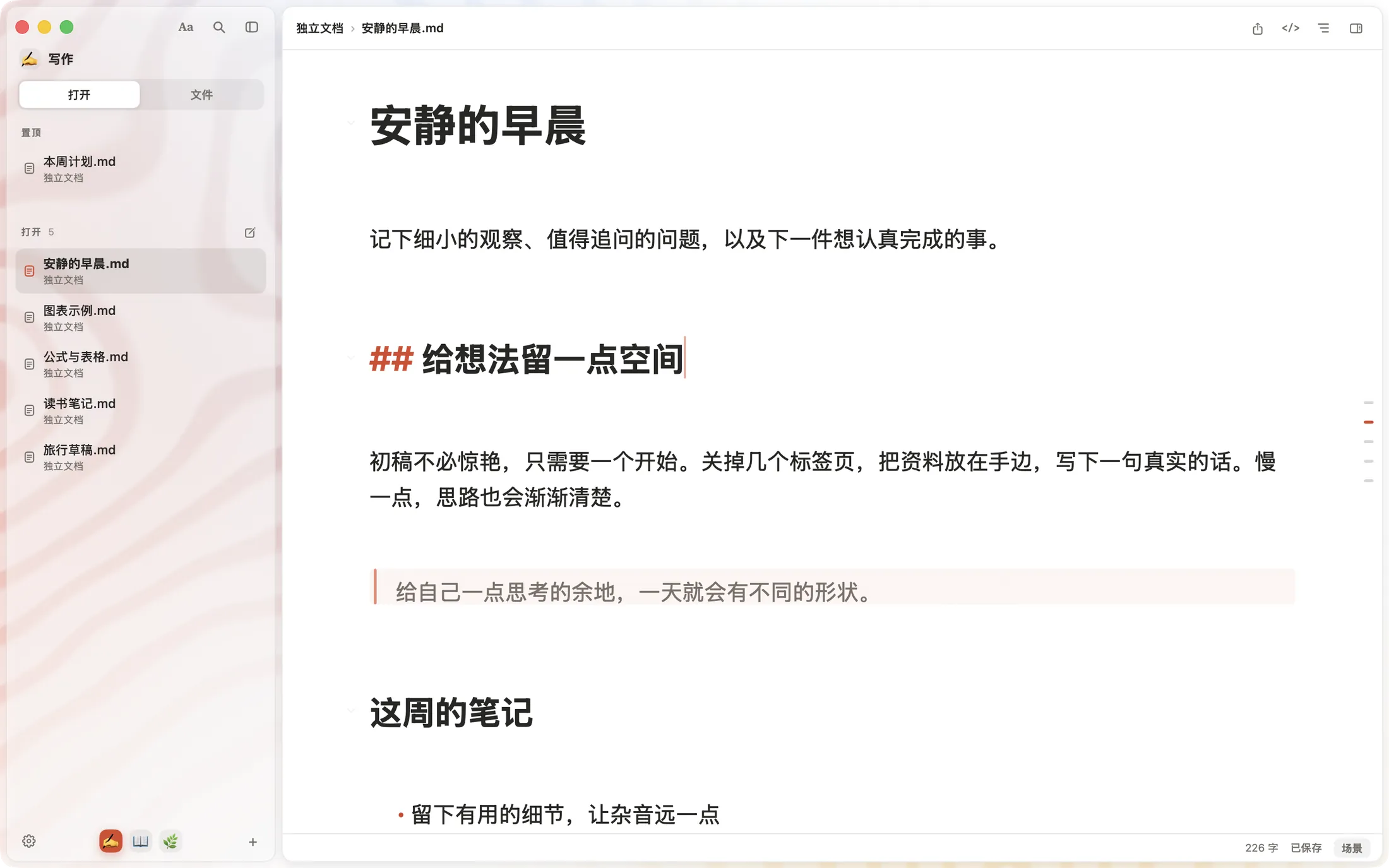
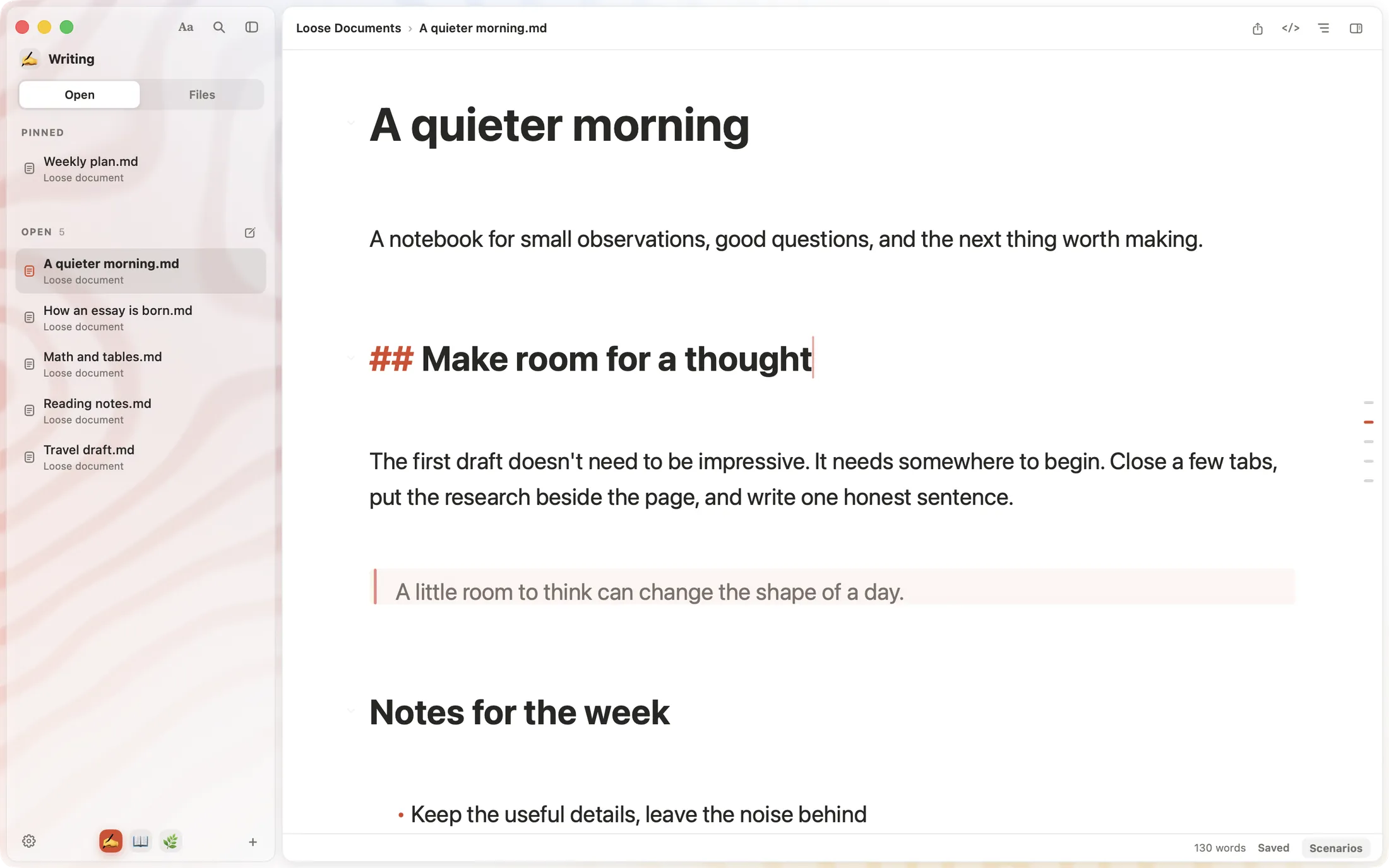
SSmd 编辑窗口:一级标题和其他二级标题都不显示 # 号,只有光标所在的二级标题显示 ## The SSmd editor: headings show no # marks except the one with the cursor, which shows ##
放大:光标所在行显示 ## 给想法留一点空间
Magnified: the line with the cursor shows ## Make room for a thought

一键变成
Markdown
Anything
becomes
Markdown

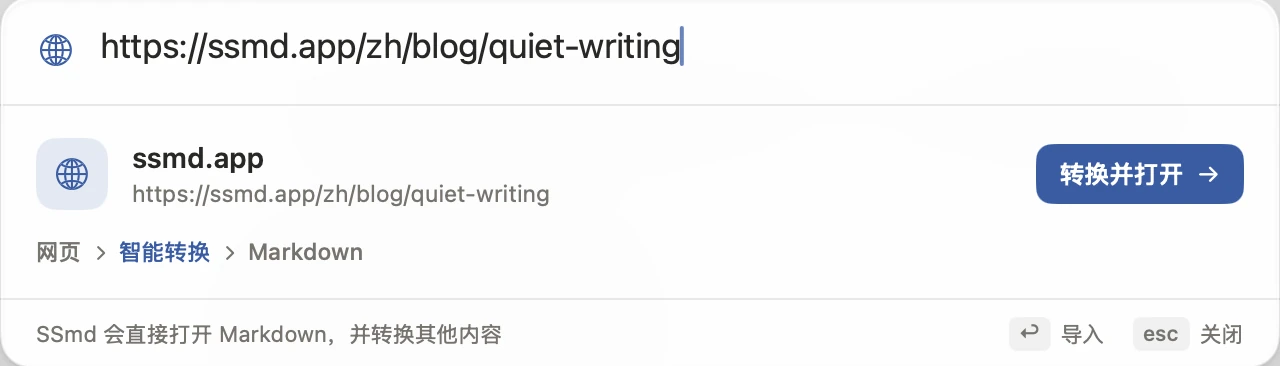
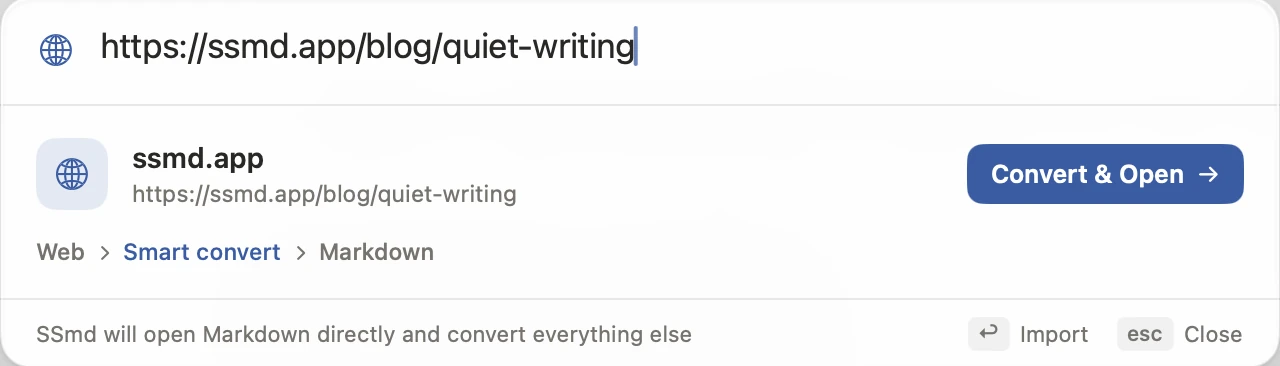
网页、Word、Excel、PDF,粘进 ⌘P,转成 Markdown 后接着写。需要登录或验证的网页,可能无法直接导入。Paste a web page, Word, Excel or PDF into ⌘P and keep writing in Markdown. Pages behind a sign-in or verification may not import directly.
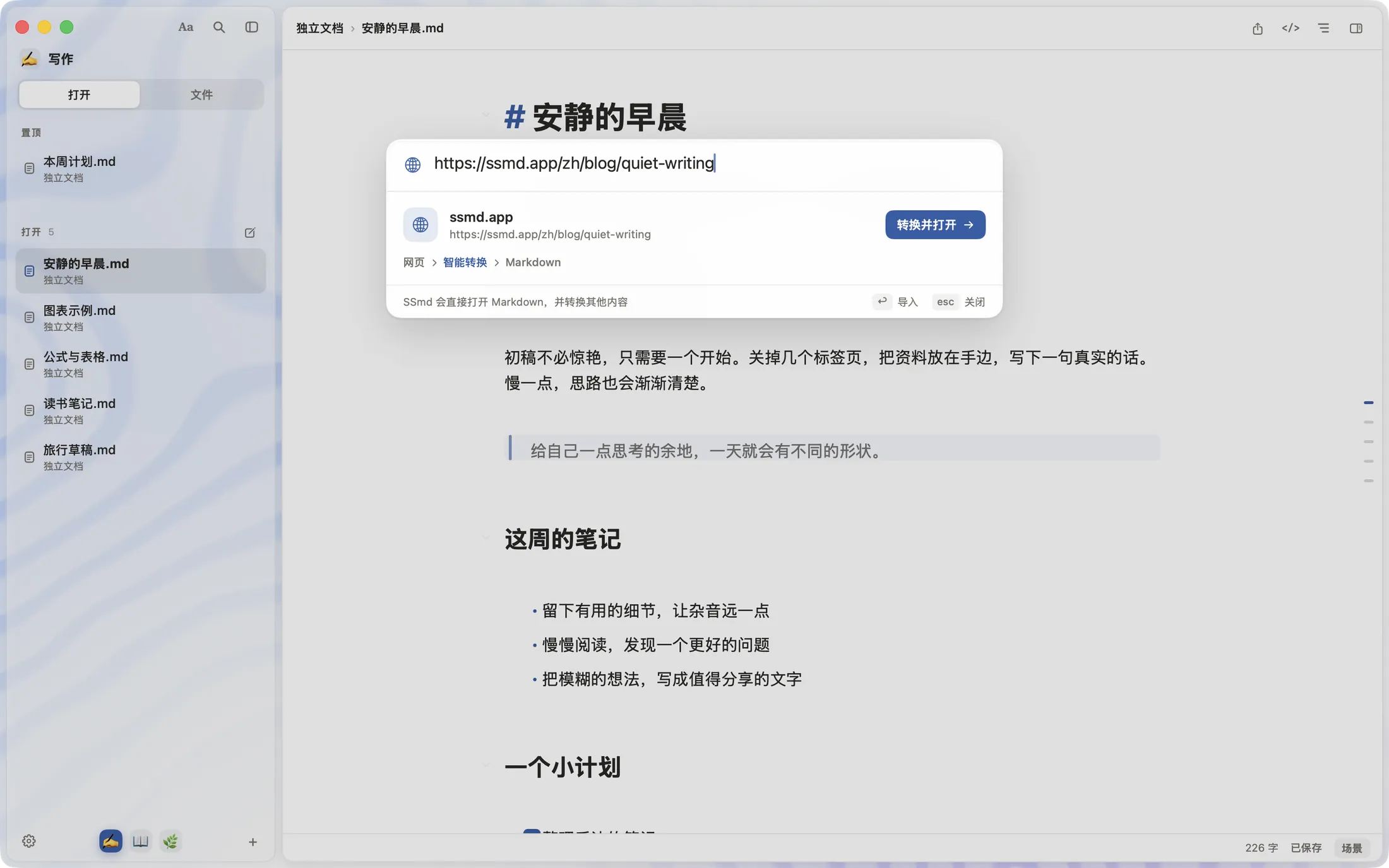
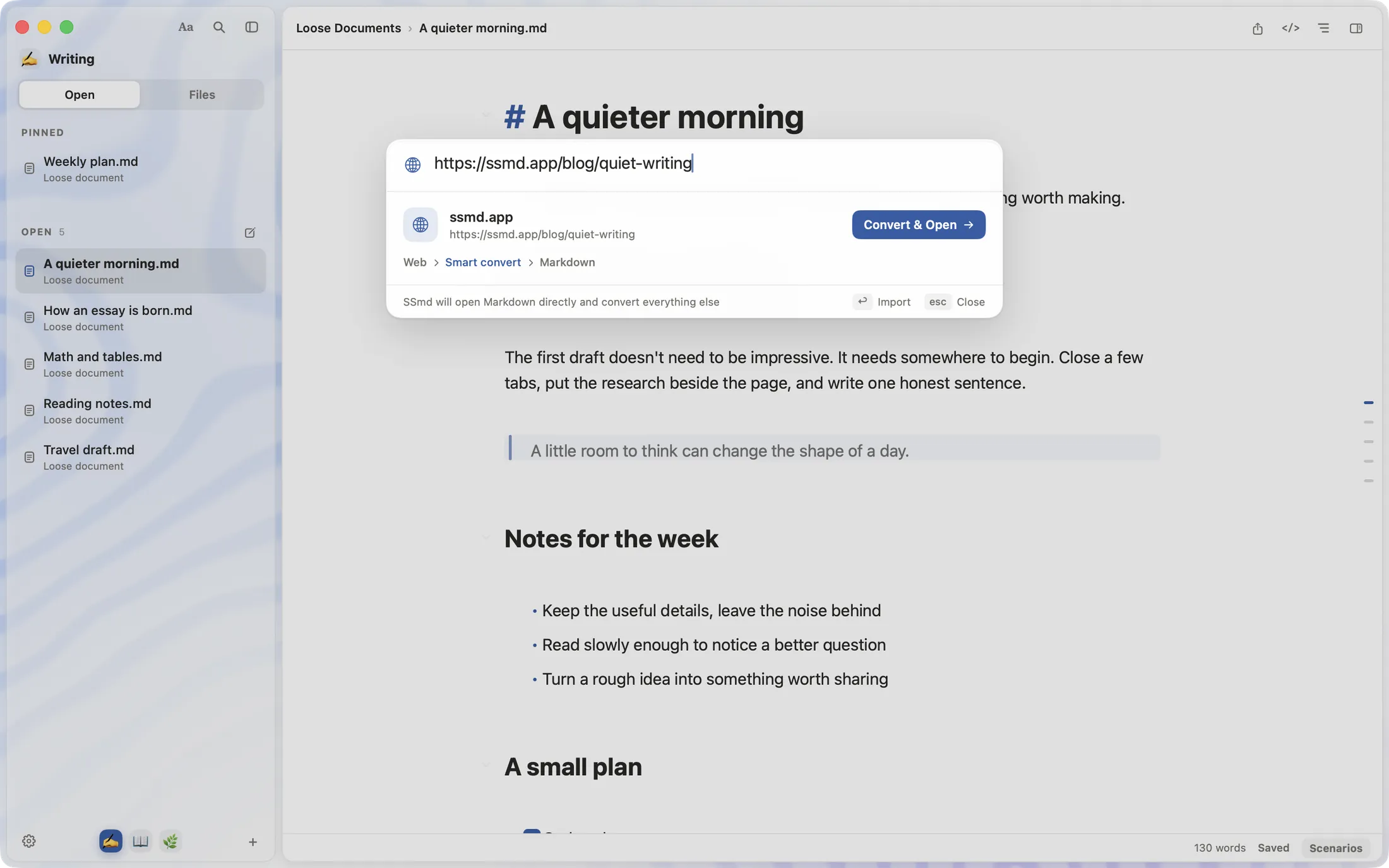
SSmd 窗口上打开了智能打开面板,粘贴的网址可以转换成 Markdown 文档 Smart Open over the SSmd window: a pasted web address can be converted to a Markdown document
放大:粘贴网址后,面板显示 网页 › 智能转换 › Markdown 和“转换并打开”按钮Magnified: after pasting a web address, Smart Open offers Convert and Open

拼音也能搜Find it in a keystroke

⌘P 里输入拼音首字母 ajdzc,就找到《安静的早晨》,命中的字会高亮。⌘P searches every document as you type, with the matching letters highlighted.


智能打开:输入 ajdzc,结果“安静的早晨.md”的五个字被高亮Smart Open: typing quiet finds A quieter morning.md, with the match highlighted

0.5 新增New in 0.5

几行字,
一张图
Text in,
diagram out

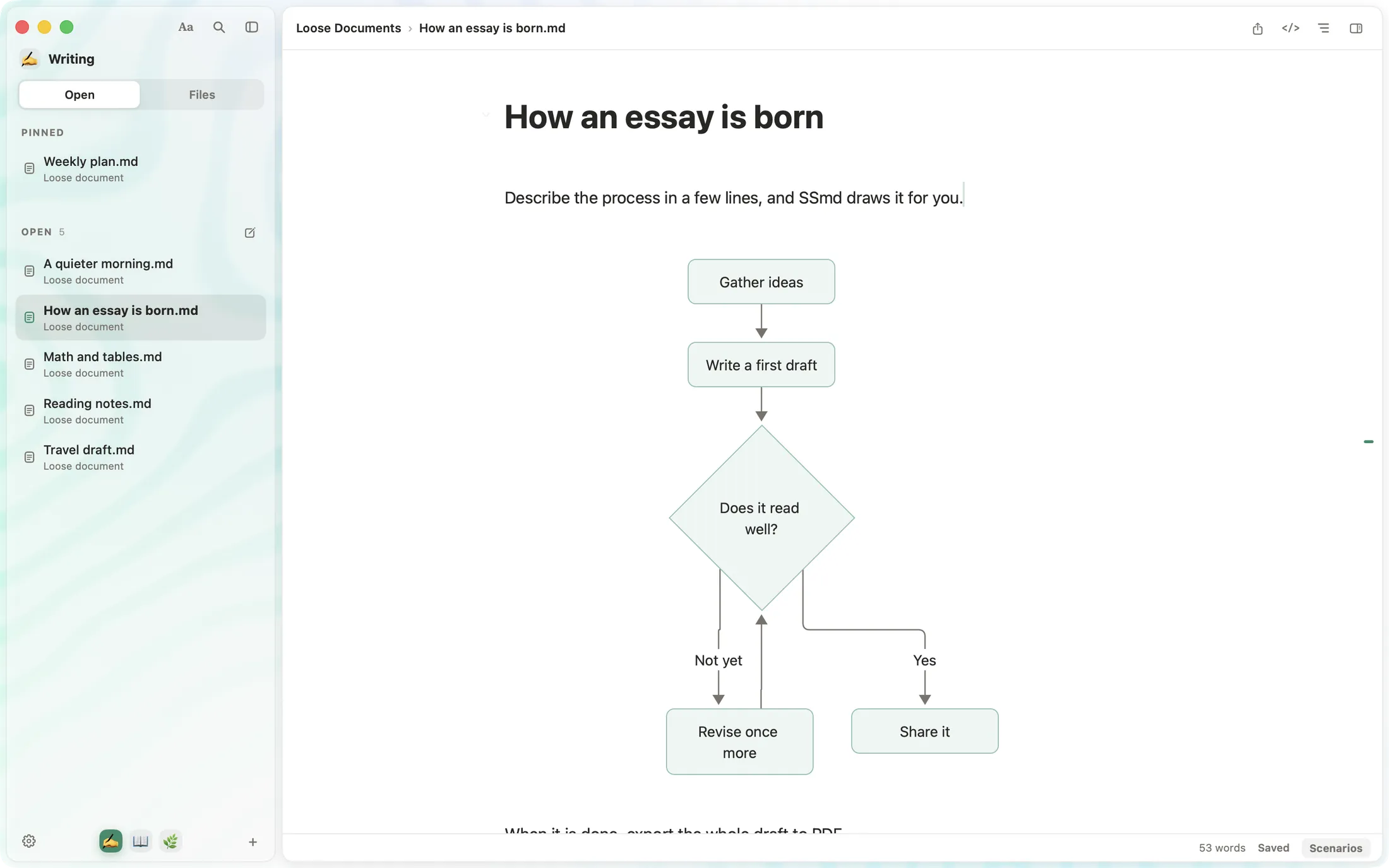
写 Mermaid、流程图或时序图,光标离开就显示成图,点一下又回到源码。导出 PDF 时是清晰的矢量图。Write Mermaid, flowchart or sequence blocks. Move the cursor away to see the diagram, click it to edit again. PDF export keeps it sharp.
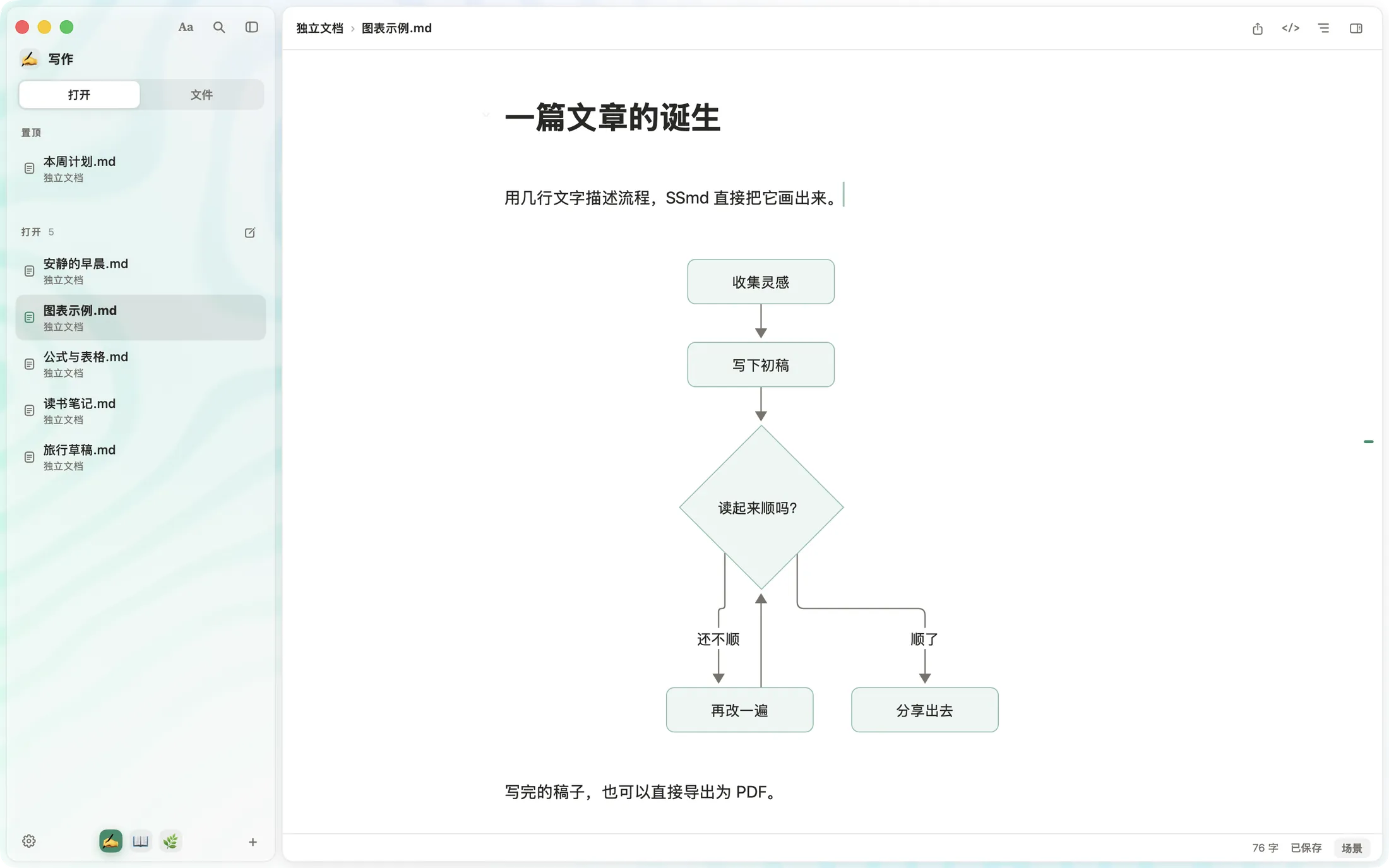
```mermaid
flowchart TD
A[收集灵感] --> B[写下初稿]
B --> C{读起来顺吗?}
C -- 还不顺 --> D[再改一遍]
C -- 顺了 --> E[分享出去]
```
```mermaid
flowchart TD
A[Gather ideas] --> B[First draft]
B --> C{Reads well?}
C -- Not yet --> D[Revise]
C -- Yes --> E[Share it]
```
SSmd 窗口:文档里的 mermaid 代码块显示成一张流程图 The SSmd editor: a mermaid code block shown as a flowchart

公式表格,一样漂亮Math and tables, typeset

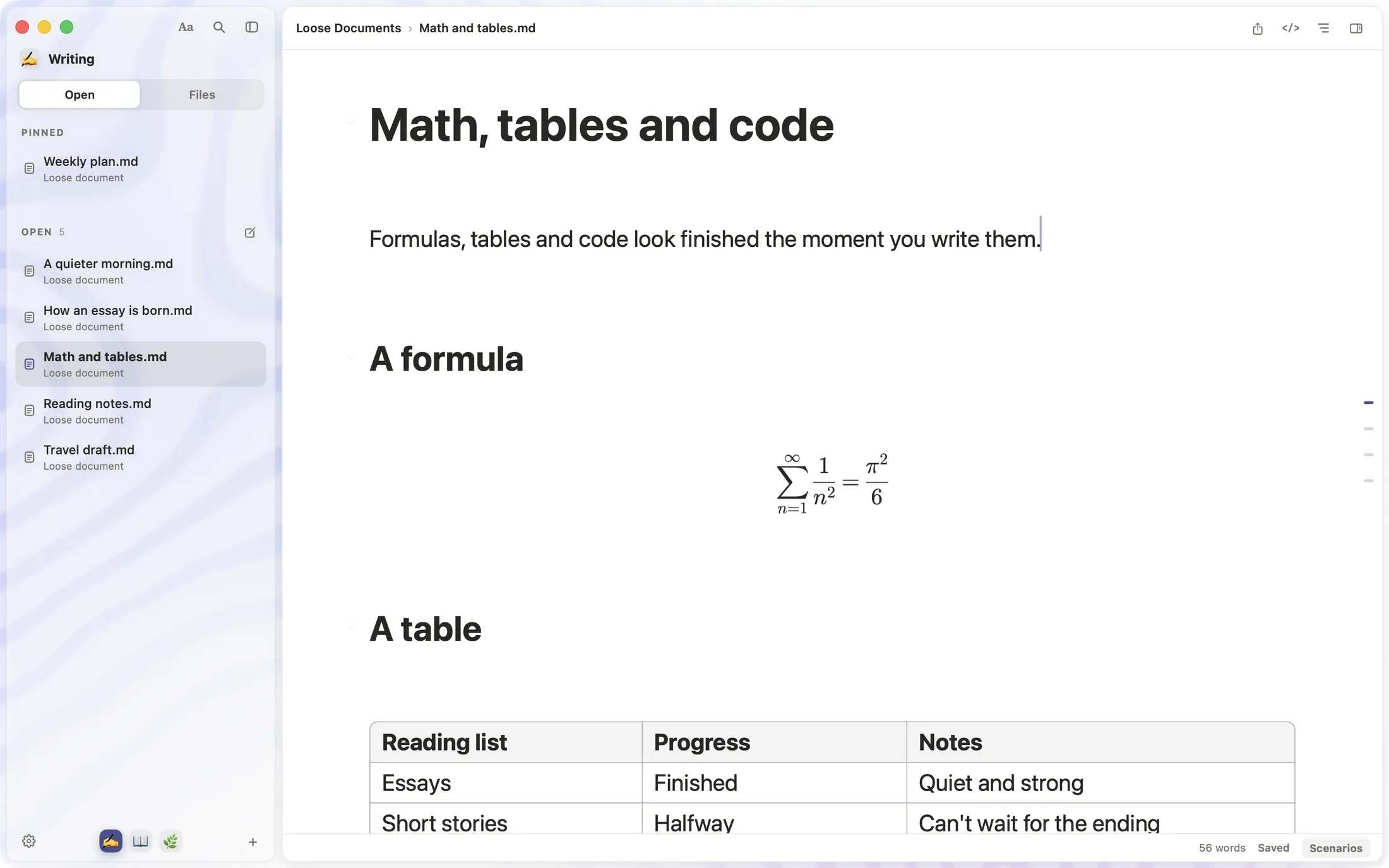
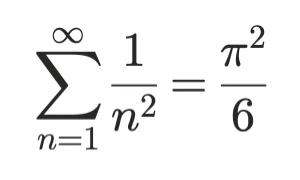
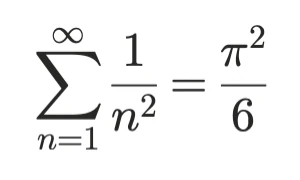
LaTeX 公式、表格与代码高亮,写完就是排好的样子。LaTeX, tables and highlighted code, rendered as you write.
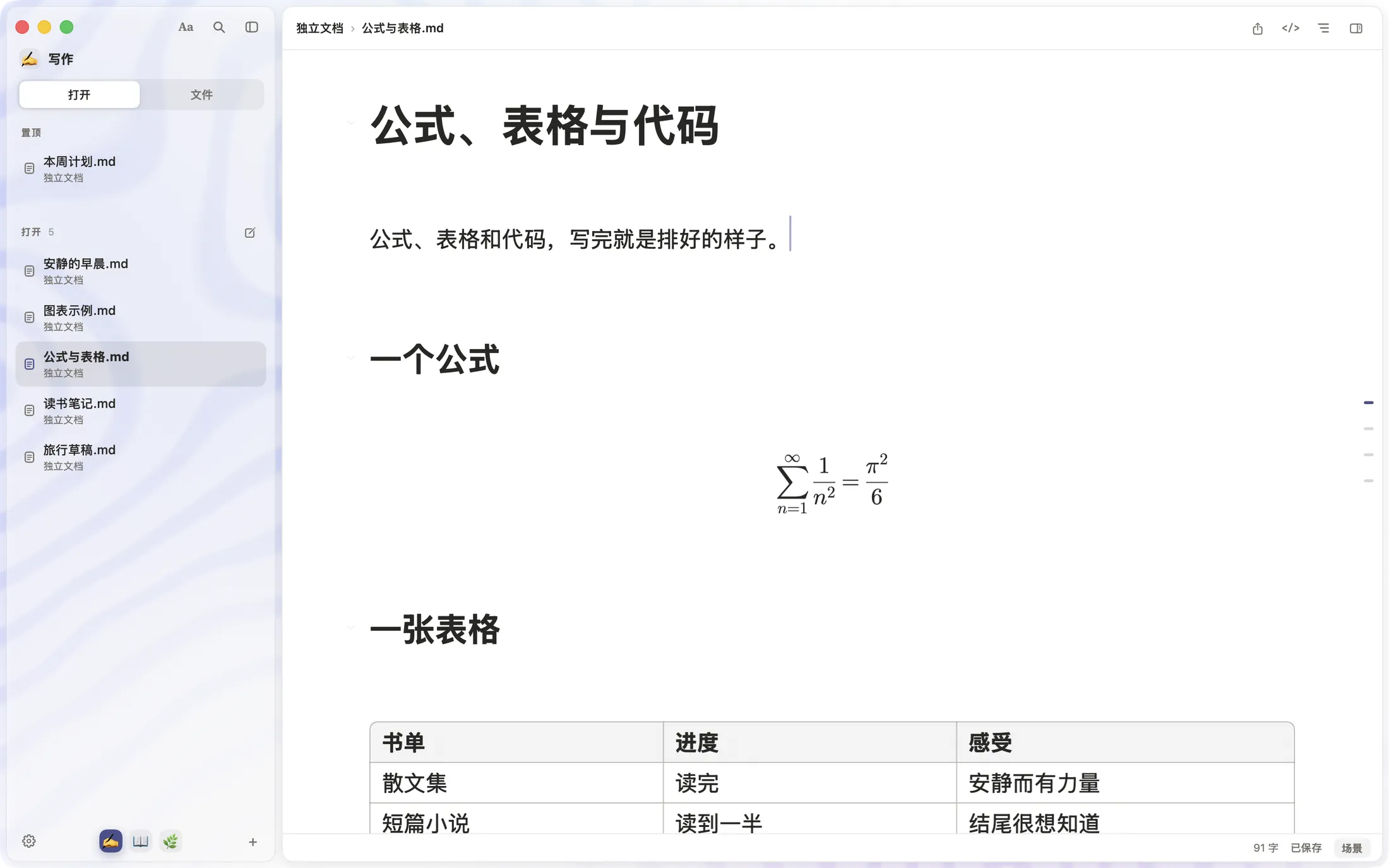
SSmd 窗口:展示样式的求和公式和一张三列表格 The SSmd editor: a display formula and a three-column table
放大:求和公式,n 从 1 到无穷,1 除以 n 的平方,等于 π 的平方除以 6Magnified: the sum over n from 1 to infinity of 1 over n squared equals pi squared over 6

四种纸,
换着读
Four papers
to read on

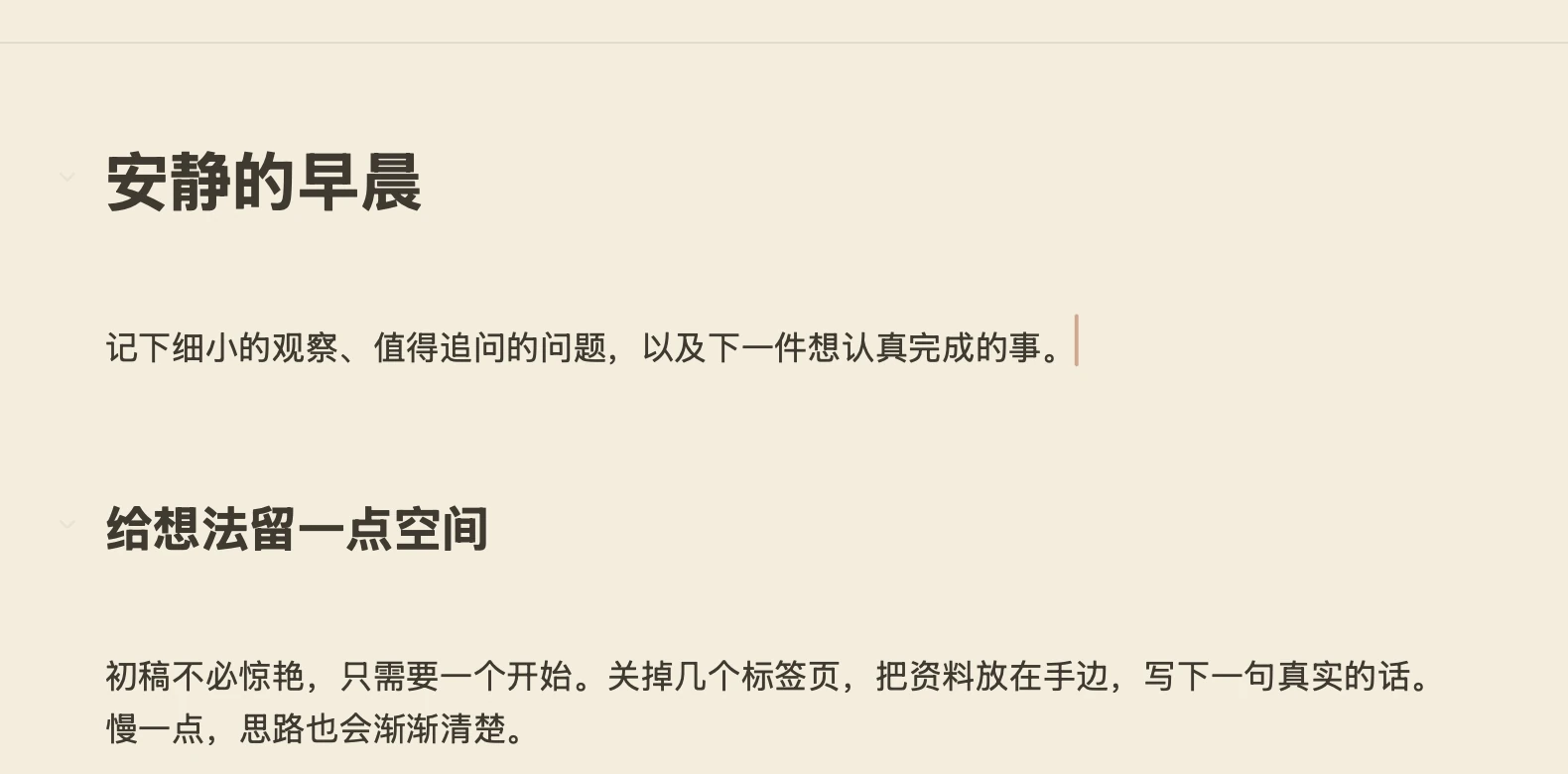
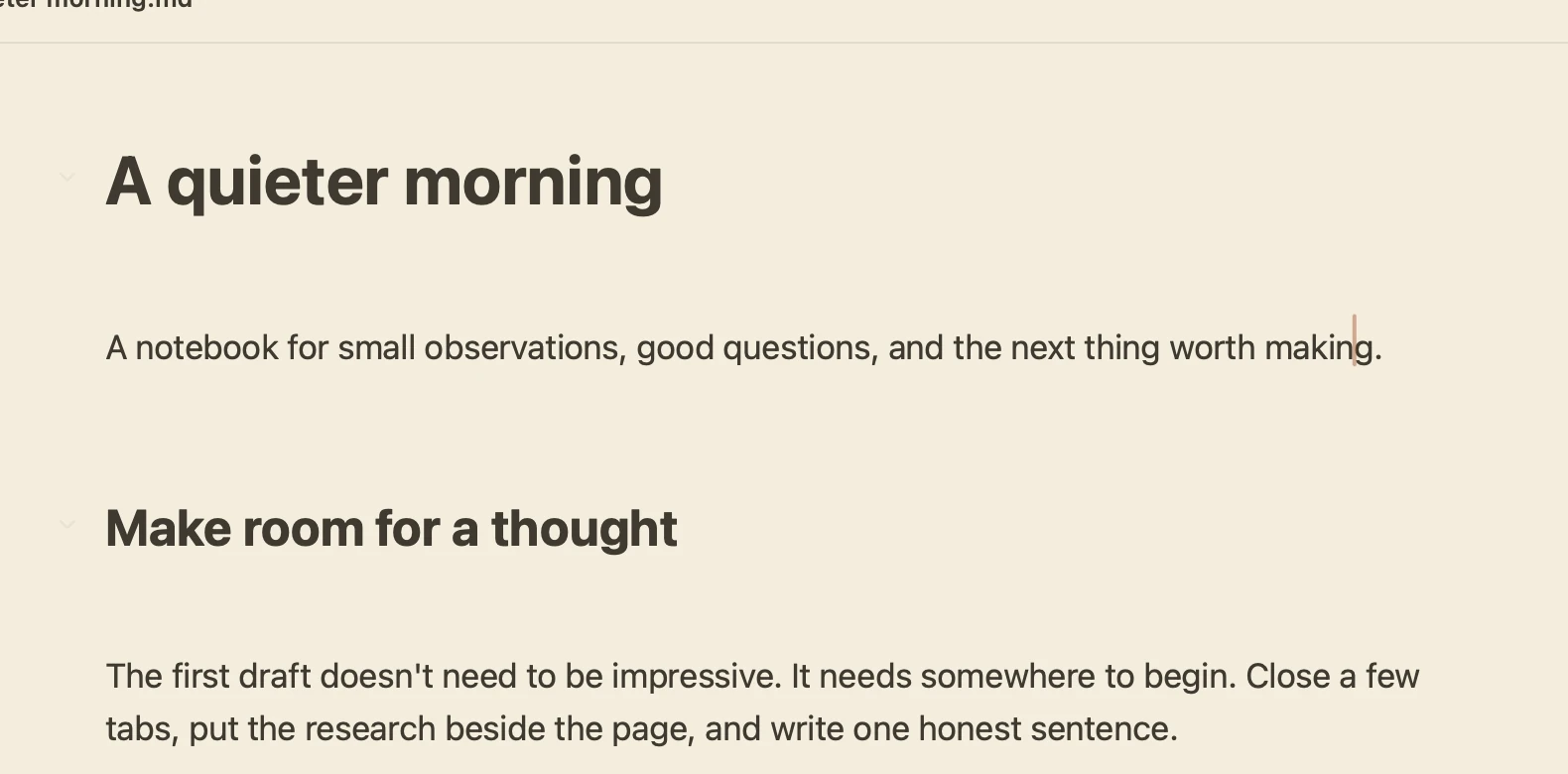
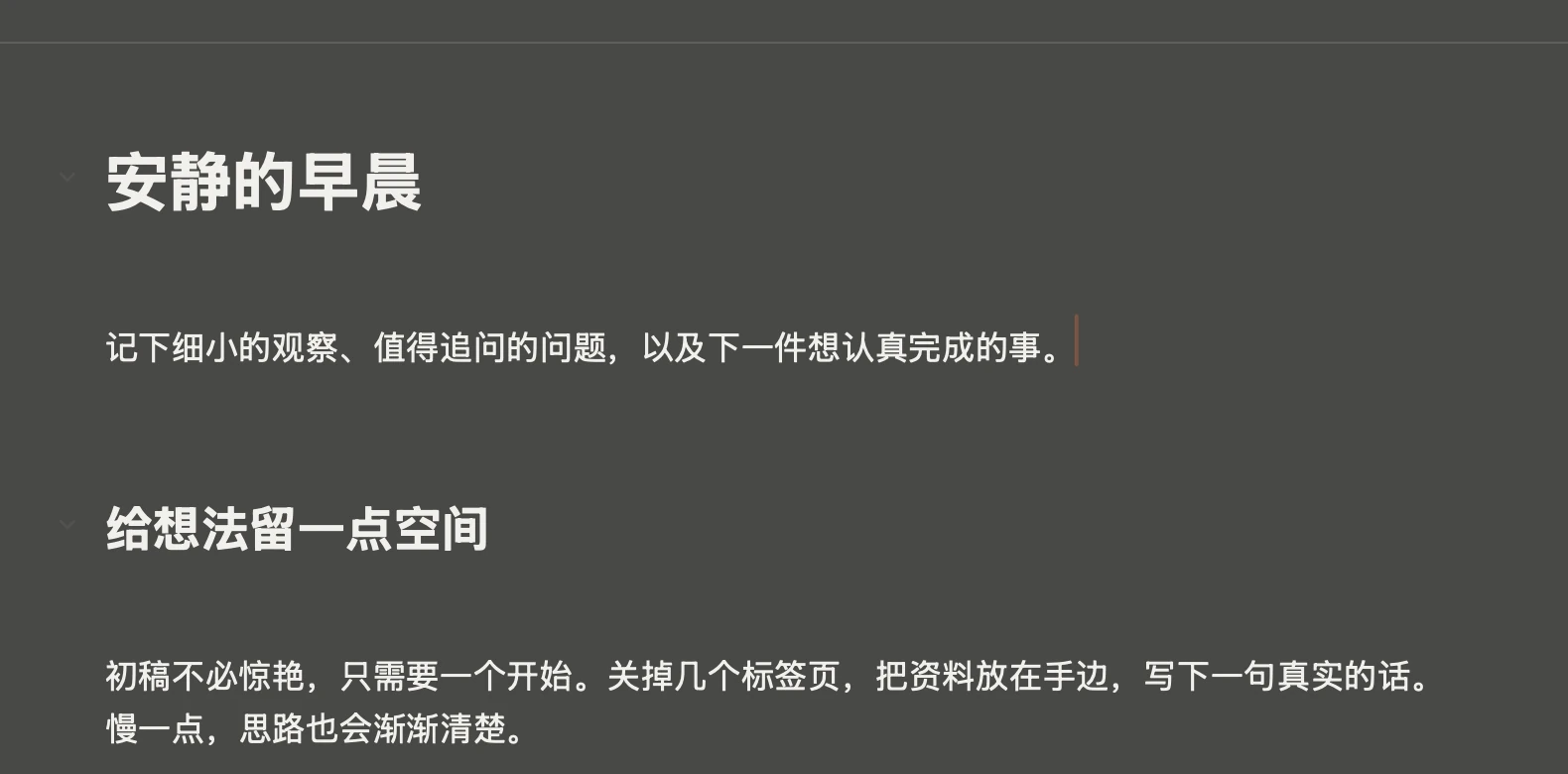
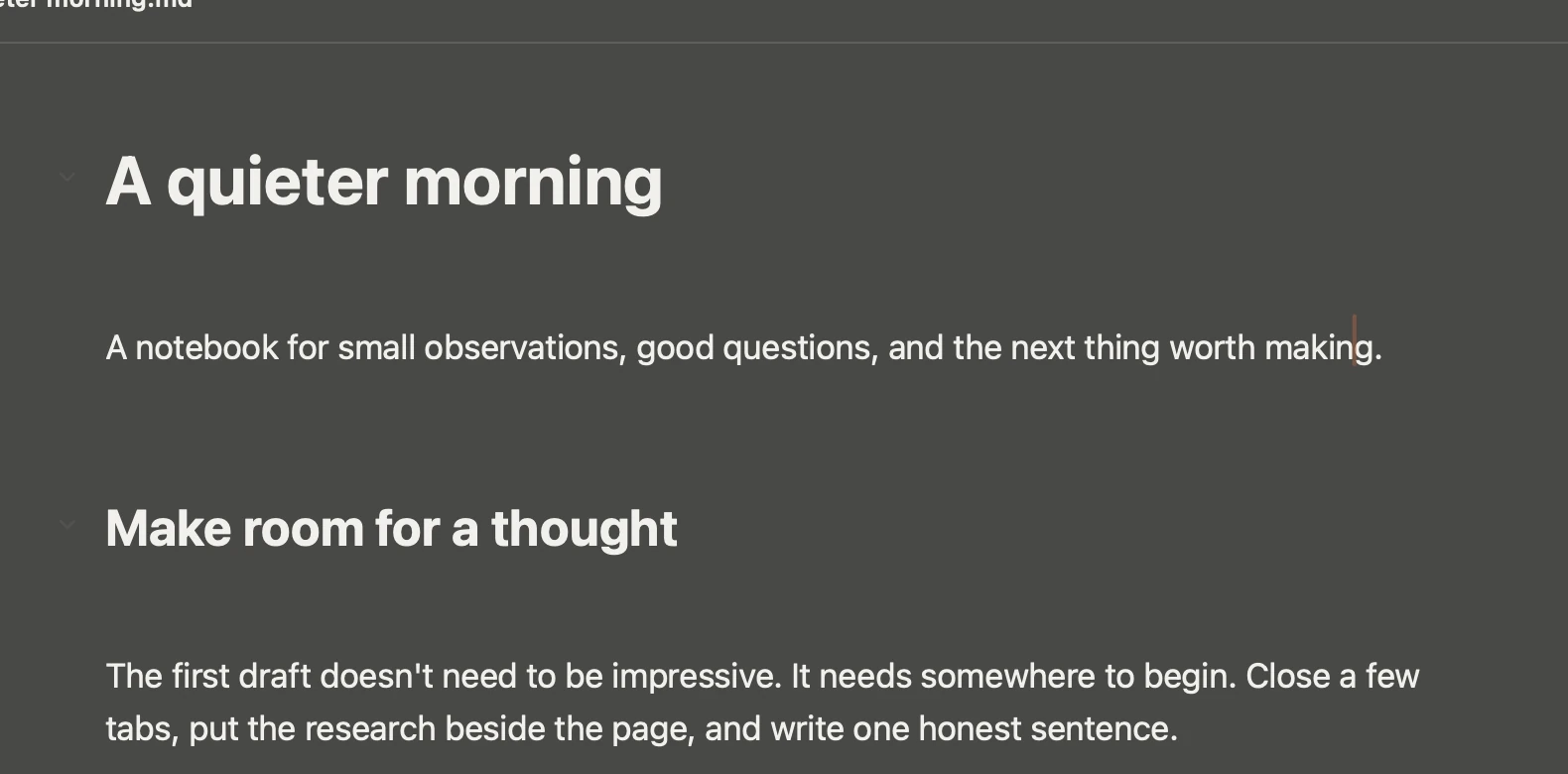
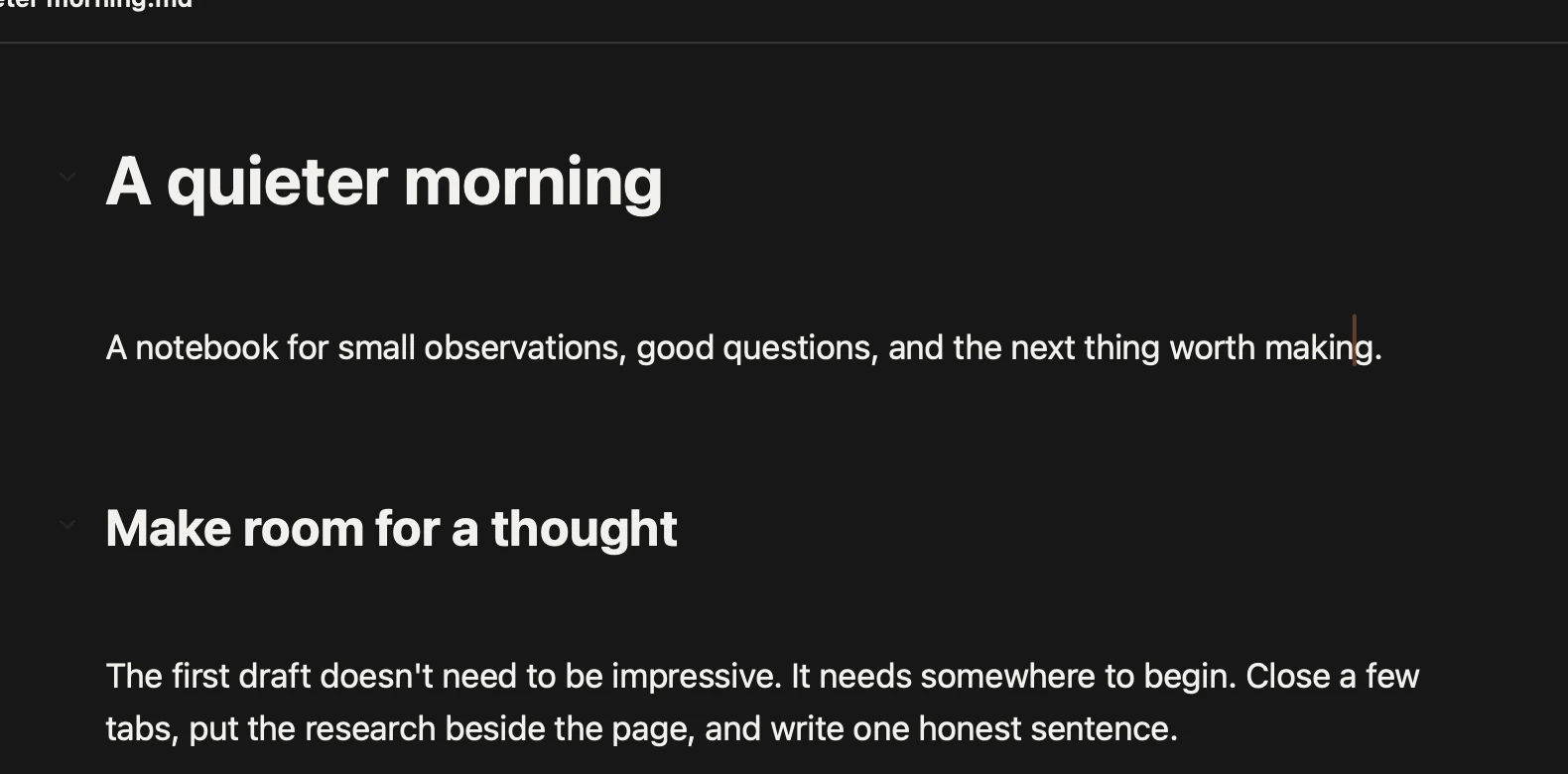
白纸、米黄、石墨、纯黑,配上系统、衬线、等宽或圆体,字号与行距随你调。White, sepia, graphite or black, with System, Serif, Mono or Rounded type. Size and spacing are yours.
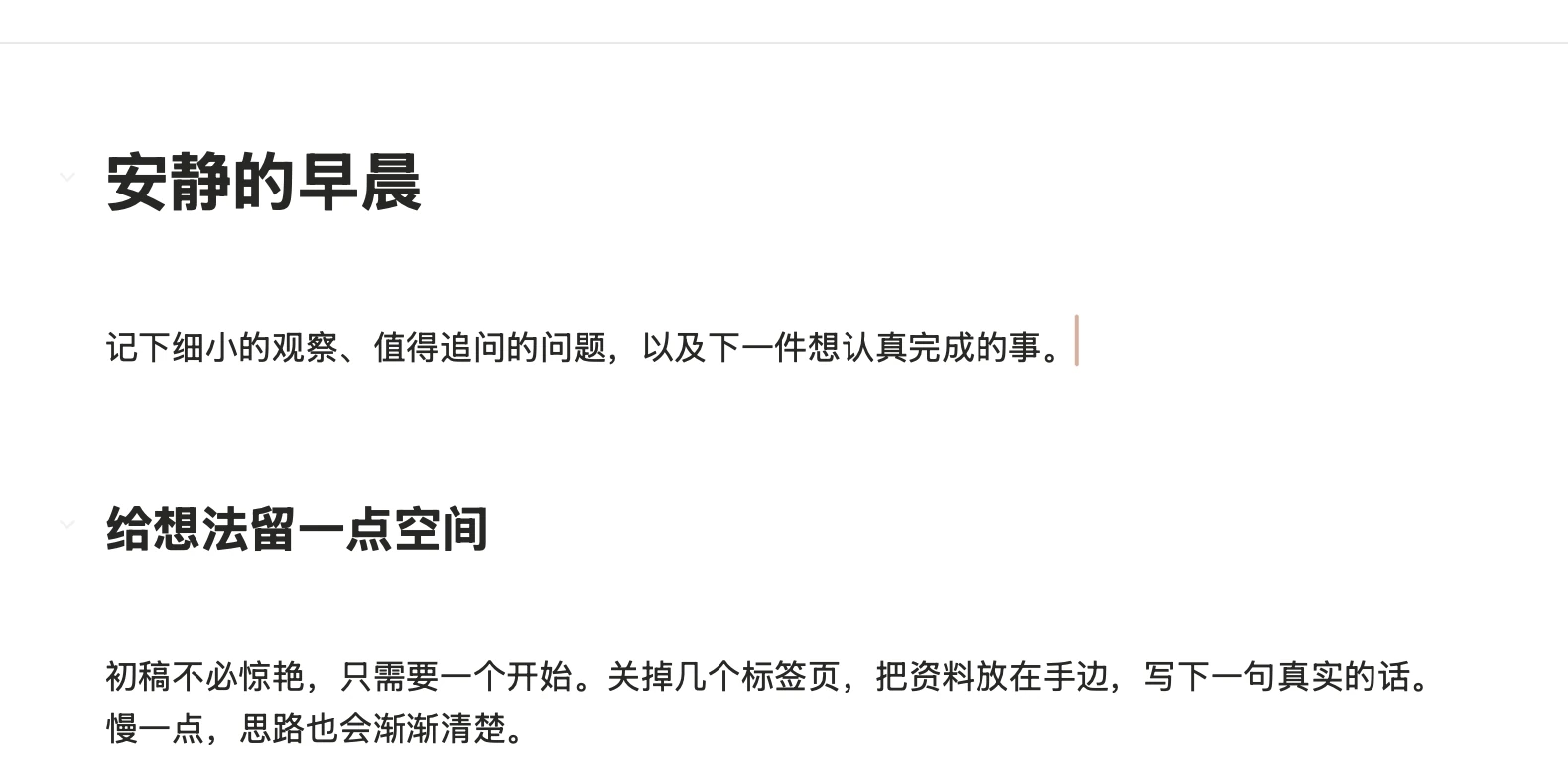
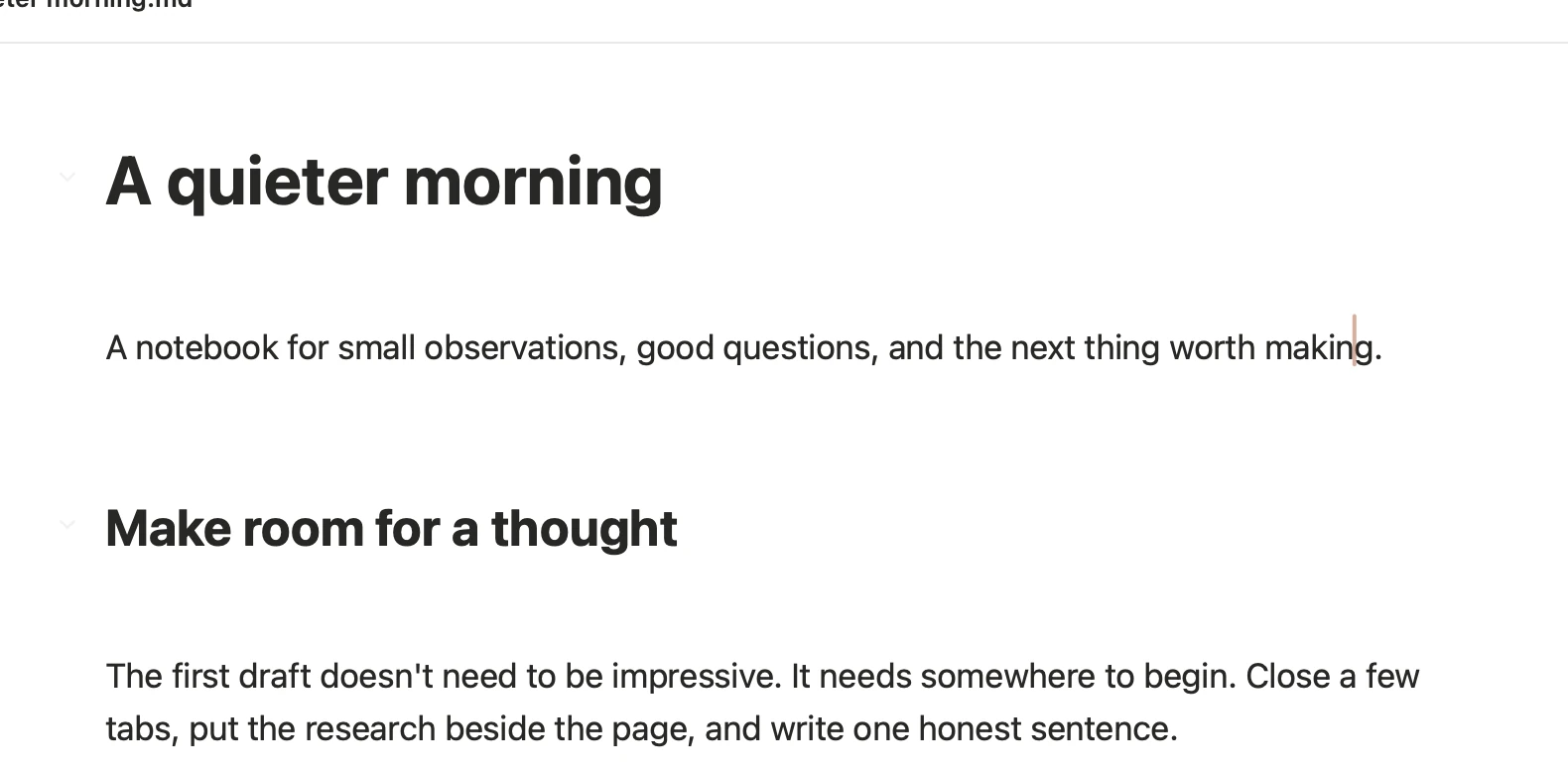
白纸上的《安静的早晨》A quieter morning on white paper
白纸White
米黄纸上的《安静的早晨》A quieter morning on sepia paper
米黄Sepia
石墨纸上的《安静的早晨》A quieter morning on graphite paper
石墨Graphite
纯黑纸上的《安静的早晨》A quieter morning on black paper
纯黑Black

每一稿,
都找得回
Every draft,
still there

本地历史随保存记录版本:并排对比,看清一行里改了什么,一键还原。它留在你的 Mac 上,不是云备份。Local History keeps revisions as you save. Compare side by side, see what changed within a line, and restore. It stays on your Mac; it is not a cloud backup.
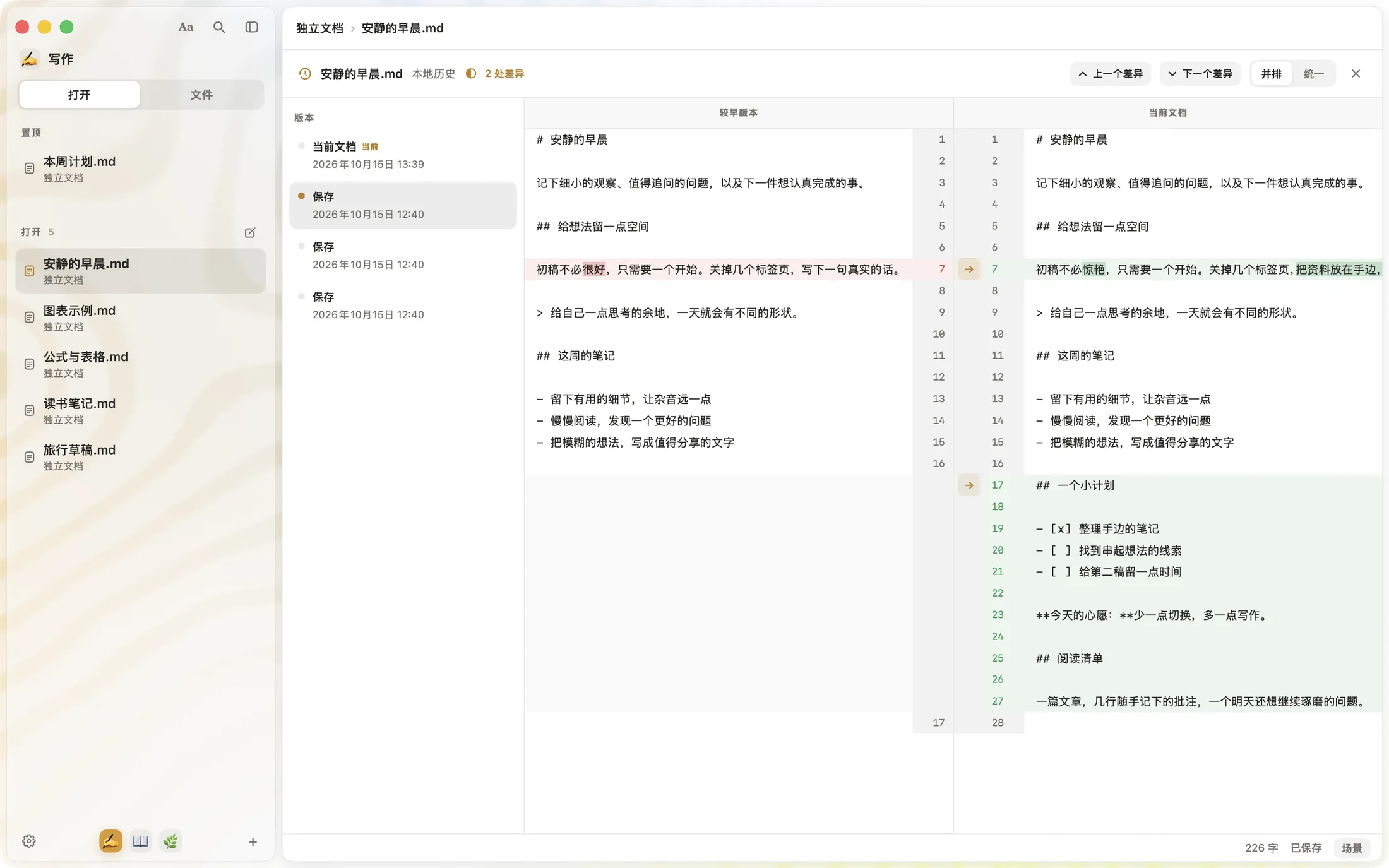
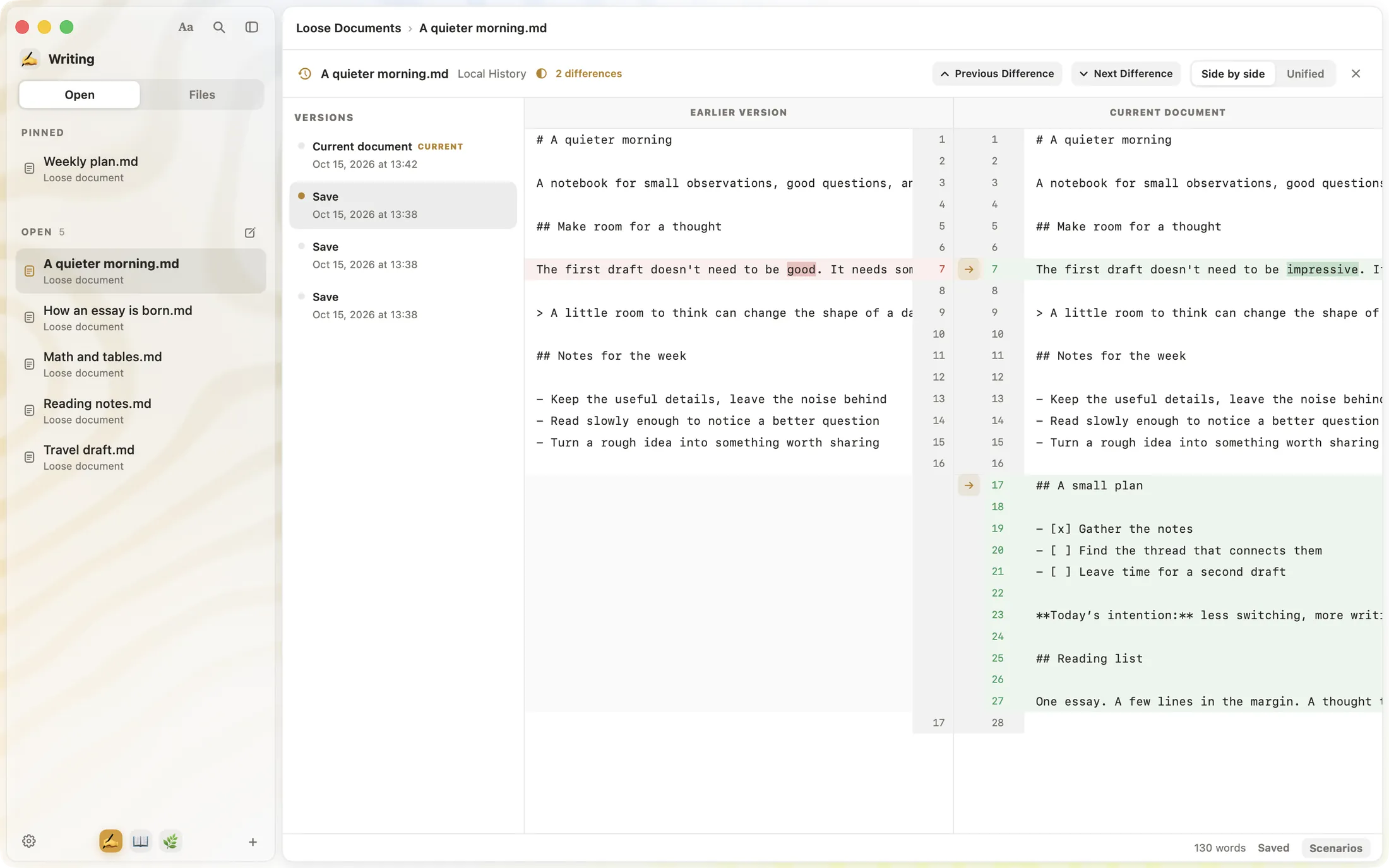
SSmd 本地历史:左侧是保存的版本,右侧并排对比较早版本和当前文档 SSmd Local History: saved versions on the left, an earlier version and the current document side by side
较早版本Earlier较早版本:初稿不必很好,只需要一个开始。Earlier: The first draft doesn't need to be good.
当前文档Current当前文档:初稿不必惊艳,只需要一个开始。Current: The first draft doesn't need to be impressive.

你的文字,就是 .mdYour words, plain .md

不需要账号,不搬进私有文档库。就是普通的 Markdown 文件,留在你的 Mac 上,同步交给你信任的工具。No account and no private library. Just ordinary Markdown files on your Mac. Use the sync tools you trust.

了解隐私与数据存储Privacy and data storage
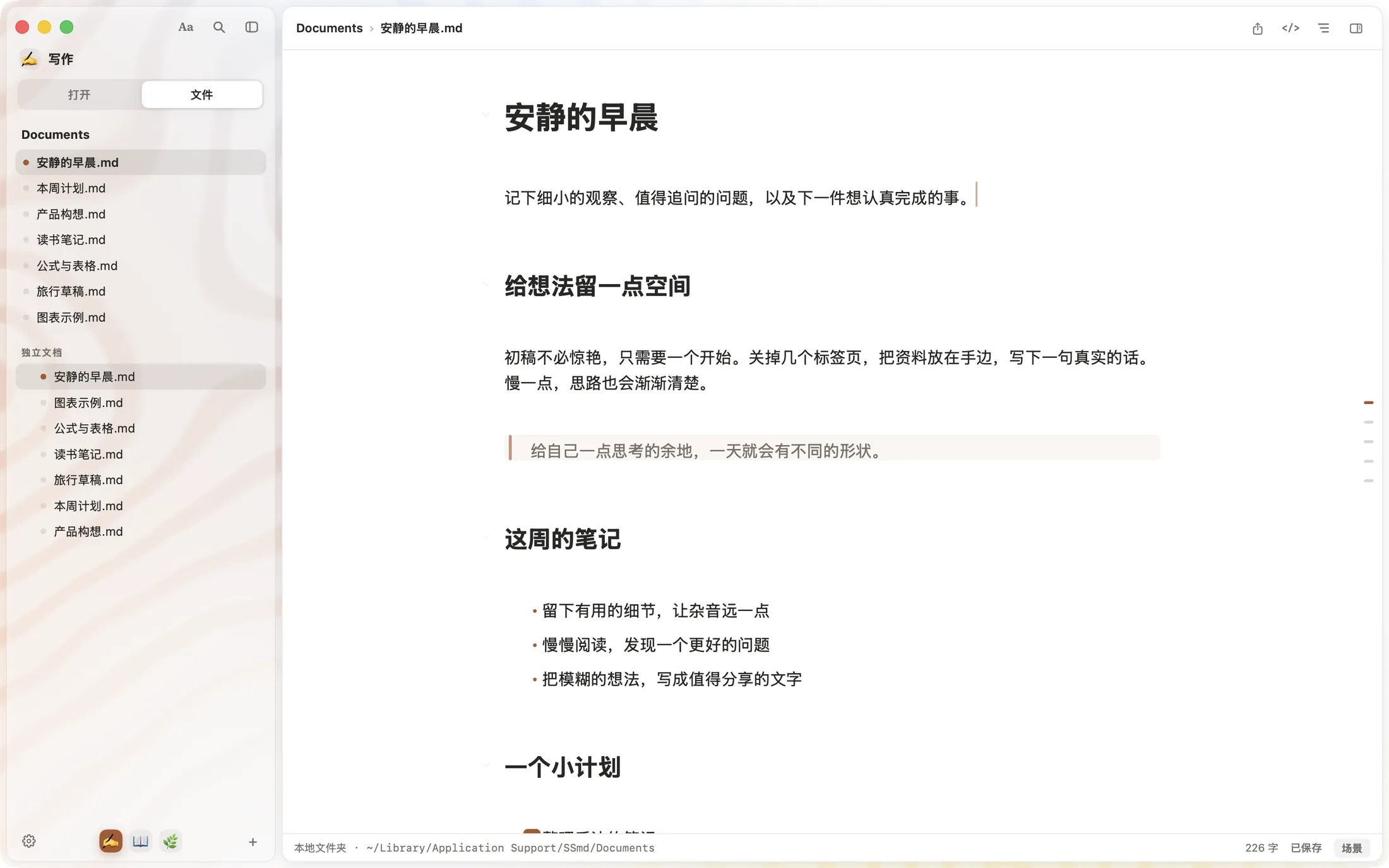
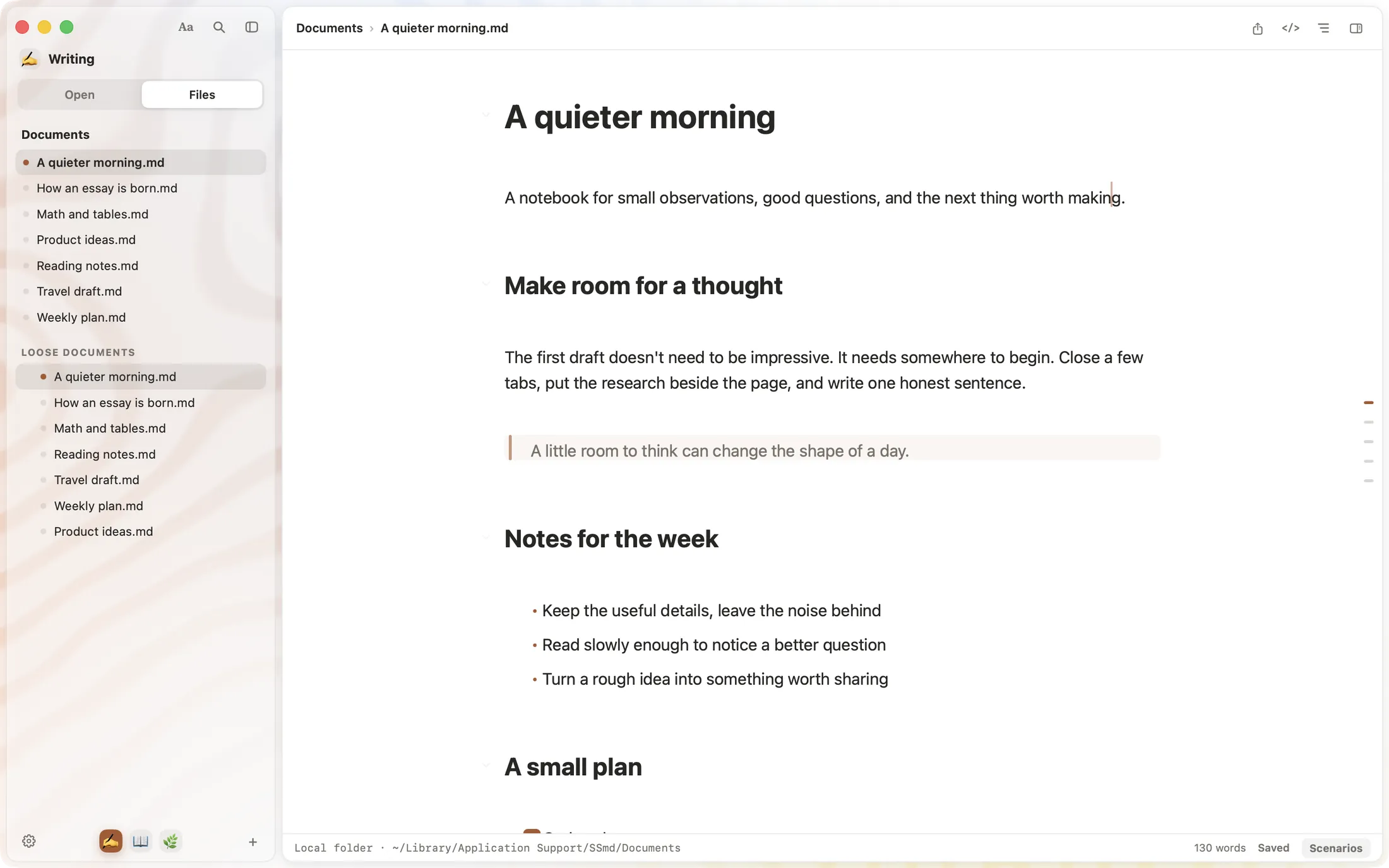
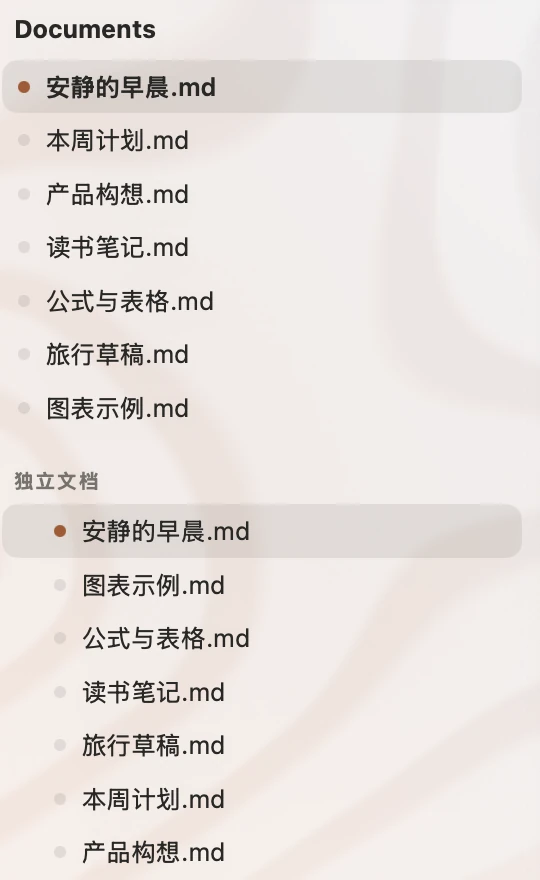
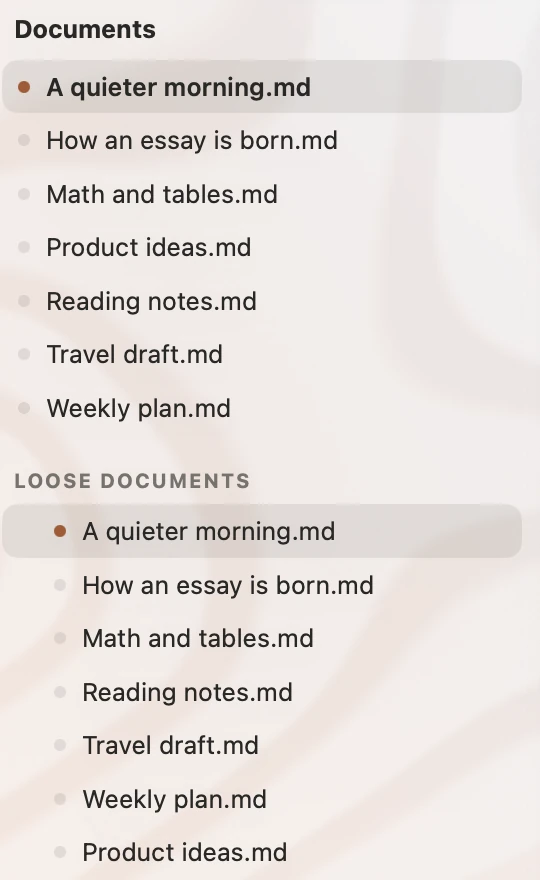
SSmd 文件视图:侧栏列出 Documents 文件夹里的 .md 文件 SSmd Files view: the sidebar lists the .md files in a Documents folder
放大:Documents 文件夹里的 安静的早晨.md、本周计划.md 等文件Magnified: A quieter morning.md, Weekly plan.md and other files in the folder

一件事,
一个空间
One space
per project

工作、写作、研究各自收好,切换回来,文档和阅读位置都在。两篇文档还能并排着写。Keep work, writing and research apart. Each Space remembers its documents and reading positions, and two documents can sit side by side.
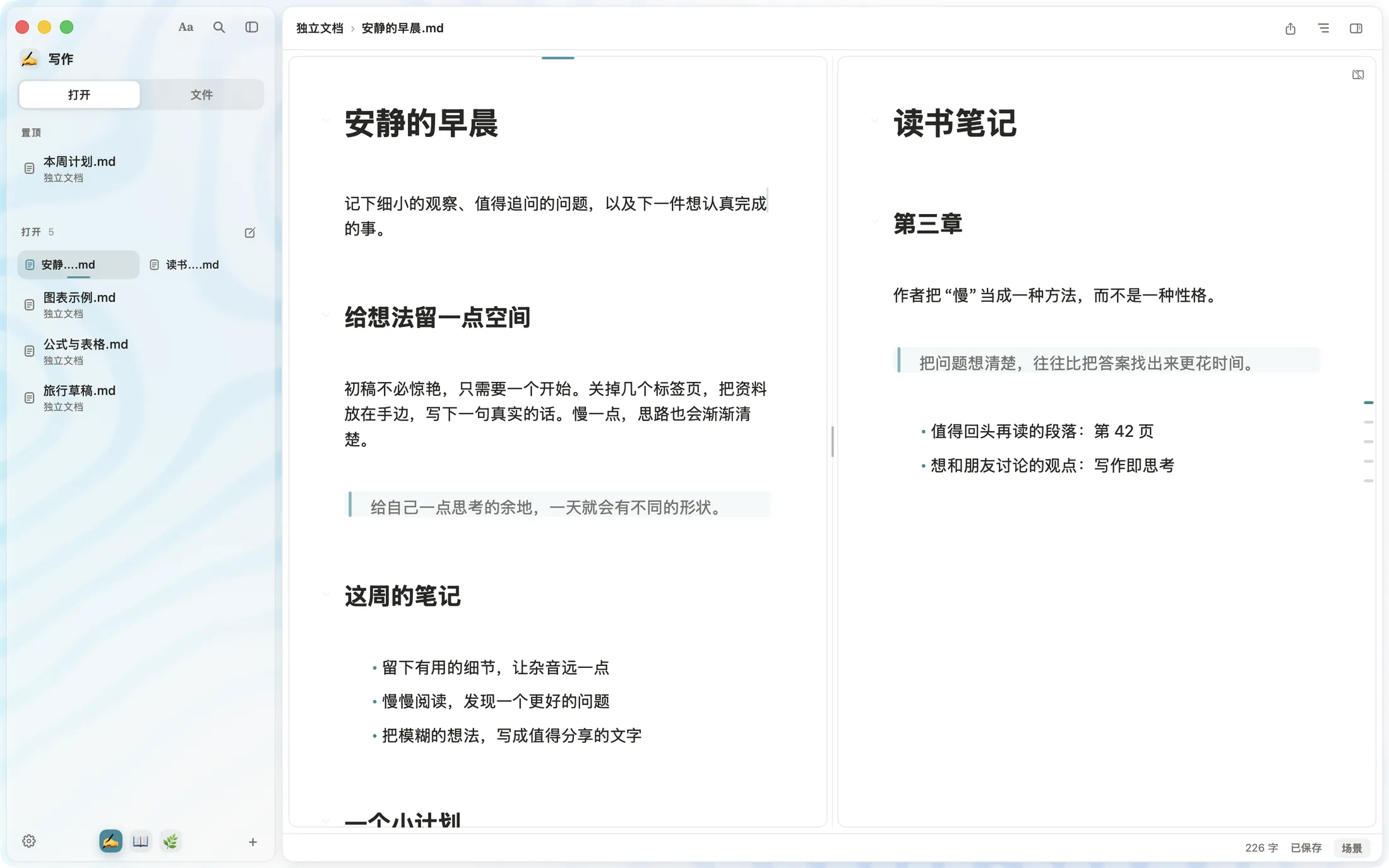
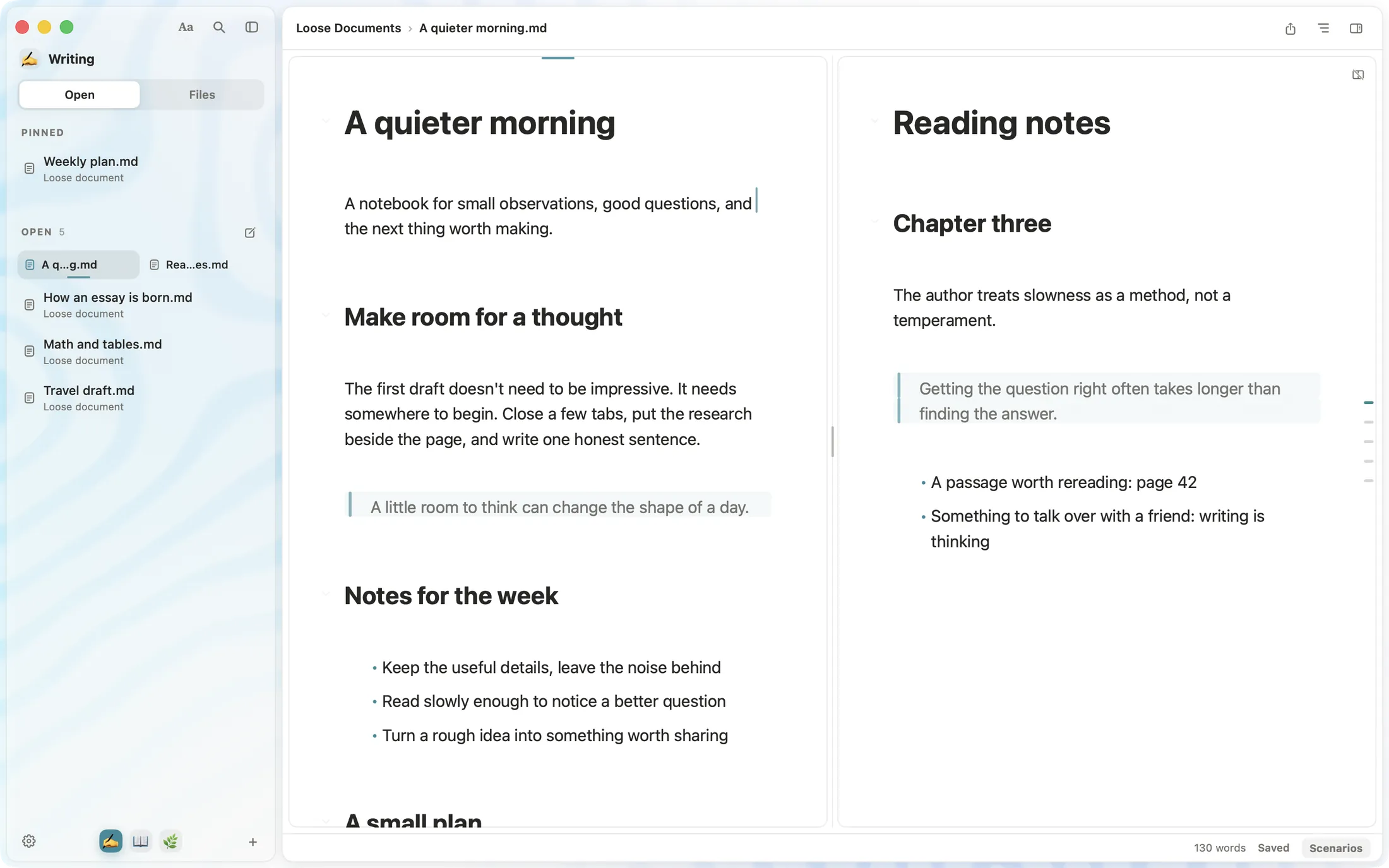
SSmd 分屏:《安静的早晨》和《读书笔记》并排打开,侧栏底部是写作、读书、生活三个空间 SSmd split view: A quieter morning and Reading notes side by side, with three spaces at the bottom of the sidebar
放大:写作、读书、生活三个空间Magnified: three spaces, Writing, Reading and Life

写作时,
墨在流动
Ink that
moves as
you write

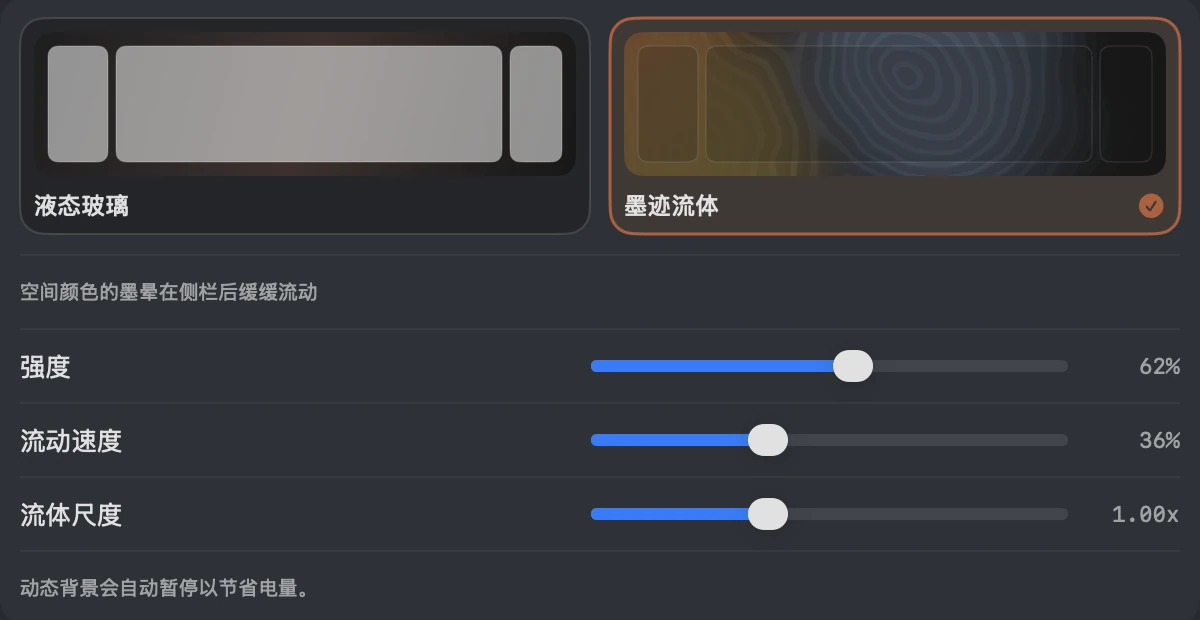
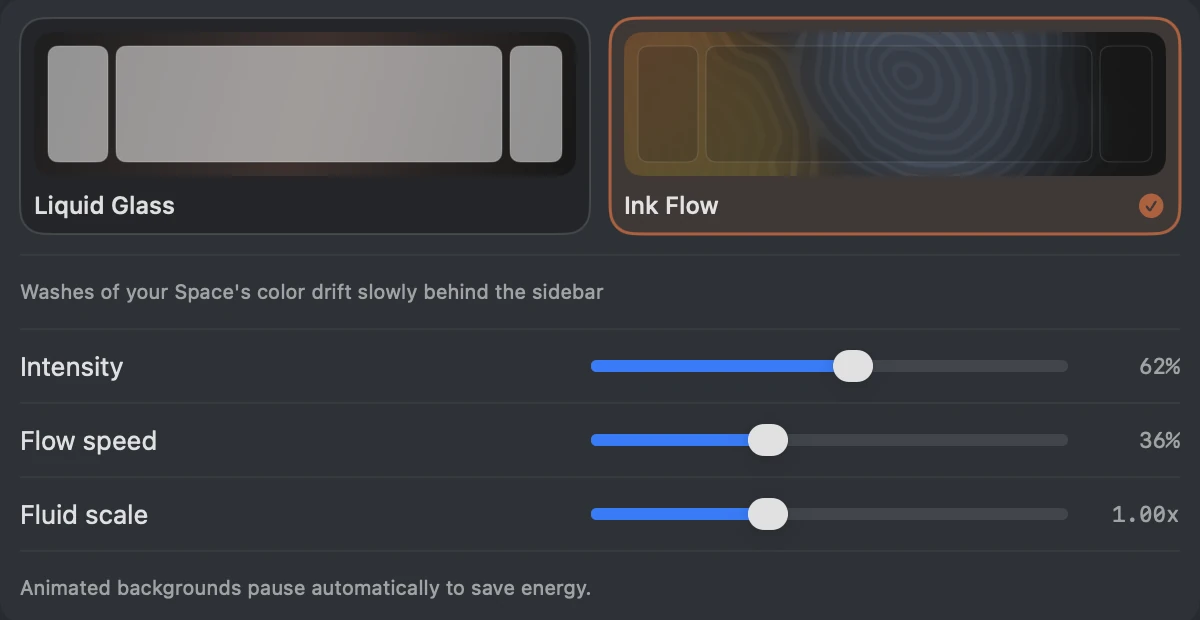
「墨迹流体」背景,让空间的颜色在侧栏后缓缓晕开。你在这一页看到的,就是同一套墨纹。The Ink Flow background lets your Space's color drift behind the sidebar. The ink on this page is the same one.
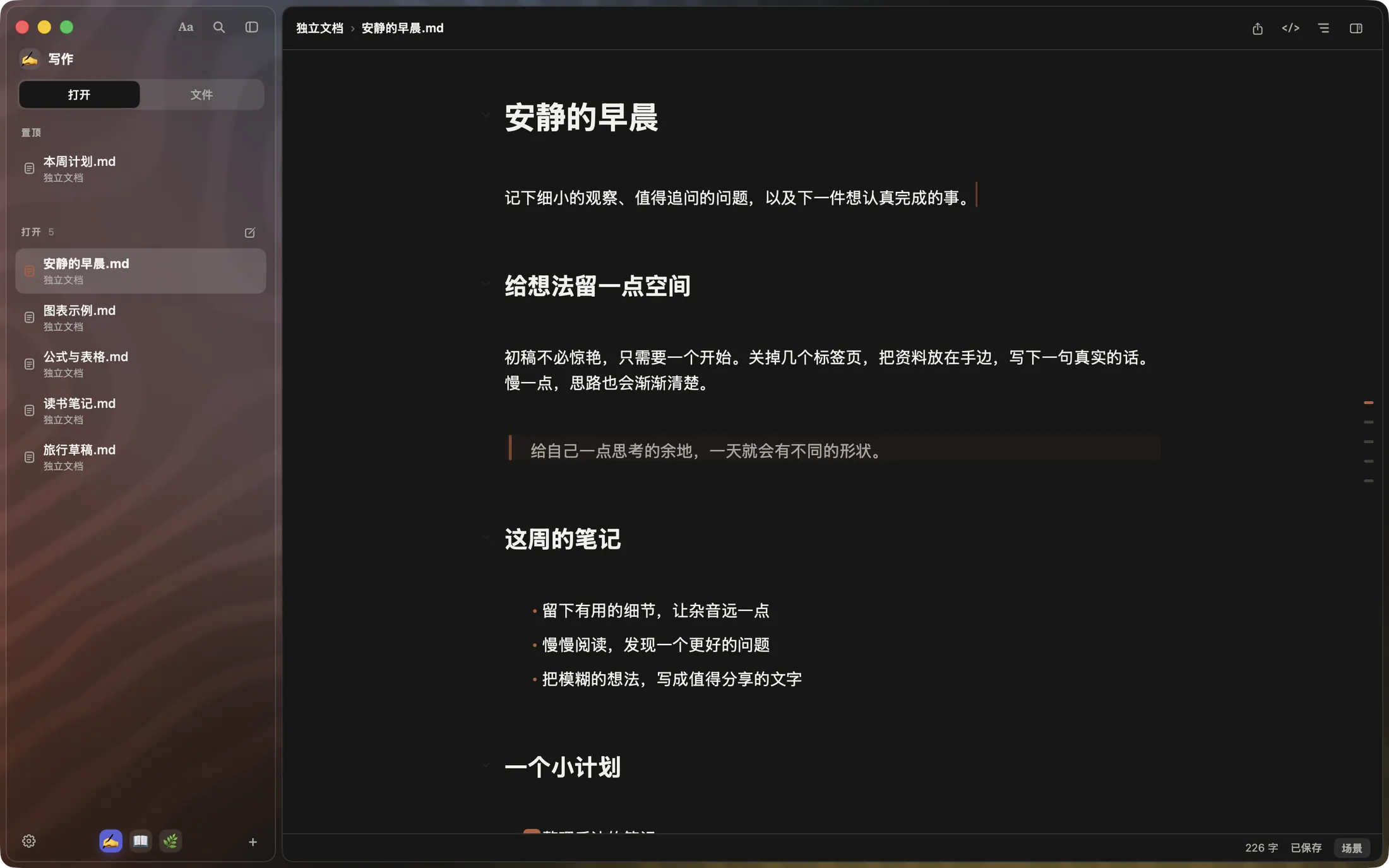
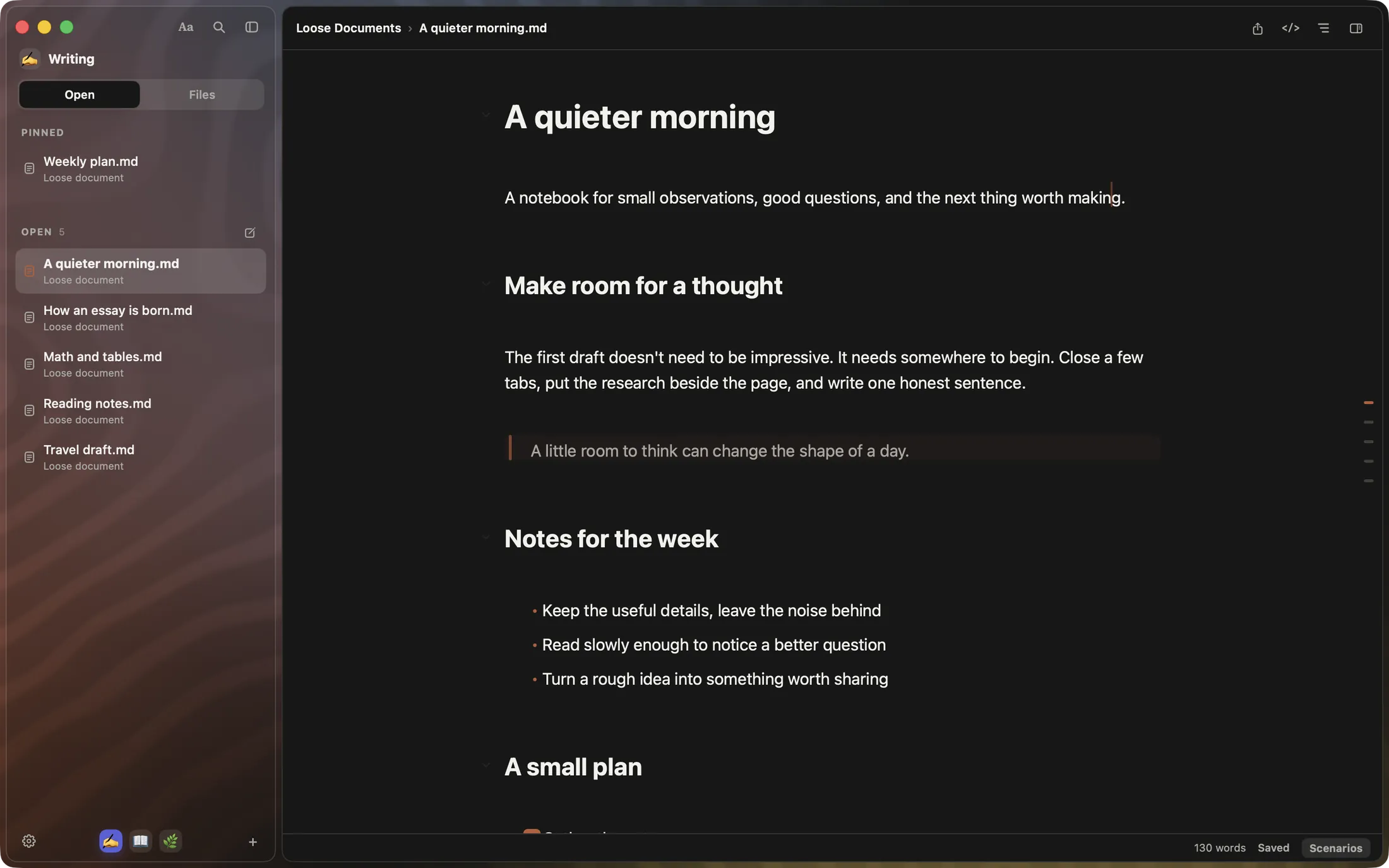
SSmd 纯黑纸张:侧栏后面是缓缓流动的墨纹 SSmd on black paper, with ink slowly flowing behind the sidebar
设置里的背景主题:墨迹流体已选中,可以调强度、流动速度和流体尺度Settings, Background, with Ink Flow selected and its intensity, flow speed and scale sliders
SSmd

现在开始,
安心写。
A quiet place
to write.

SSmd 在 Mac App Store 免费下载,无需注册账号,也无需付款。SSmd is free on the Mac App Store, with no account and no payment required.

macOS 14+ · 支持 Apple 芯片与 IntelmacOS 14+ · Apple silicon & Intel · 了解早鸟计划Explore the early-bird plan